15 website feedback tools for internal revisions / user reviews

By Mary Mattingly
December 1st 2022


Trying to nail a new website’s user flows, user experience (UX), and design without a website feedback tool is like trying to paint a house with only a hammer.
Picture this: you finally launch your new website, which you’ve been working on with stakeholders for months.
GIF Source: Giphy
Everyone’s excited…at first.
After a couple of weeks, the analytics registers a high bounce rate. But why? If only there were a way to ask visitors about problems directly…
If you had implemented website feedback tools into the website creation process, you’d know that there are tools that let you collect on-page feedback from website visitors. Better yet, some tools enable you to collect precise, contextual feedback from your stakeholders in the web-design process.
Both of these tool types fall under the umbrella of website feedback tools.
Intrigued?
Let’s demystify website feedback once and for all!
Disclaimer: The information presented in this article was collected from publicly available sources and updated as of 24th January 2024.
Table of contents
What’s a website feedback tool?
Website feedback tools are software solutions that help teams collect input from customers and/or stakeholders. They’re helpful for many use cases, including:
Product management
Website feedback tools help product teams get an overview of how users experience their products. This ability enables professionals to identify users’ pain points faster and easier (you’ll see how in a bit 😉).
Web design
With website feedback tools, designers can analyze user flows and discover bottlenecks before and after a website has been launched.
Let’s say you add a new product to your portfolio and need to create a new webpage to promote it. Before creating the actual page, your team of designers creates preliminary sketches following the creative brief.
Until the new page is live, the process goes like this:
Designers use a website feedback tool to share wireframes, user flows, and prototypes with you via link.
You review and add your input contextually by pinning comments to specific elements that you want to be changed (or added – like an on-site feedback button that visitors can use to report bugs and other issues).
Designers implement your feedback.
The page goes live.
In this scenario, designers get clear feedback from both the project manager and website visitors, which makes refining the final design much easier.
Market research and marketing
Website feedback tools help professionals spot patterns in user behavior, discover trends, map user journeys, and identify areas of interest.
With actionable insights into the UX, it’s easier to develop new features, and address customer needs to increase satisfaction.
eCommerce
High cart abandonment rates can signal a usability problem, not necessarily customers’ indecision 😅.
Sure, there are people who impulsively add makeup products to their cart, only to get to the checkout and realize that the cost of their order equals a month’s rent.
But what are the odds of all your customers doing this?
Instead of asking yourself rhetorical questions, you can add a feedback button to your online store so buyers can tell you what’s happening.
Website feedback tools like this help you meet customers where they’re at, improve their experience, and keep them coming back for more.
Now, depending on the stage your web project has reached and the type of feedback you need to collect, you can use two types of website feedback tools. Let’s talk about that!
2 types of website feedback tools
We’ve already established that there are tools that can help you collect feedback efficiently from stakeholders and visitors.
Now, let’s dive deeper and understand which tool does what and why it is helpful.
Website feedback tools for user reviews
This type of website feedback tool supports feedback collection from website visitors and mobile app users. It’s an effective way to use feedback forms at key customer journey moments (e.g., after checkout) to measure customer satisfaction.
Here’s an example of some completed surveys that measured the sentiment of Zoom customers after using the platform.
The customer feedback Zoom received covers issues with the app’s usability, readability, and support. Further, the responses highlight precise issues experienced when performing different actions on the platform (e.g., downloading the app, sharing music, etc.).
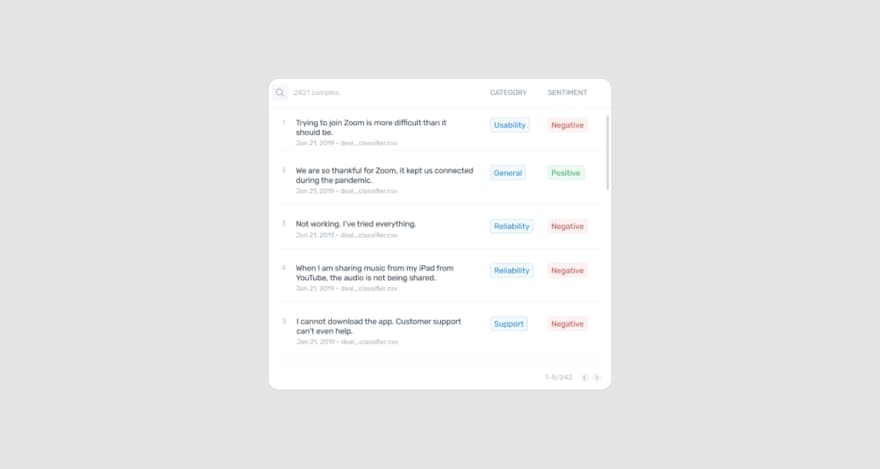
Image Source: MonkeyLearn
To complicate things further…we’re joking!
This category of website feedback tools is made of multiple tool subtypes that include :
Voice of the customer (VoC) survey tools:
enable users to survey website visitors and app users about different touchpoints (e.g., after a visitor uses the chatbot feature on your site, you can send a survey that prompts the customer to rate the interaction they just had).
Community feedback tools:
help users survey, measure, and collect feedback from the members of a community (e.g., gaming, education, sports, etc.).
Video customer feedback tools:
let users collect video testimonials from customers.
The bottom line here is there are infinite possibilities for collecting customer feedback in all shapes and forms—from video feedback to customizable surveys.
Visual feedback tools for web design and usability reviews
Visual feedback tools are more suitable for internal reviews than for collecting users’ input.
This website feedback tool category enables you to easily share and collect feedback from stakeholders on web design projects, wireframes, prototypes, moodboards, live websites, etc.
Generally, visual feedback tools support features like:
Link enabled file-sharing
Point-and-click comments
Markups and annotations
These tools minimize feedback loops and the constant back-and-forth between stakeholders and creatives, reducing miscommunication and unnecessary reworking that results from unclear feedback.
Take MarkUp.io as an example.
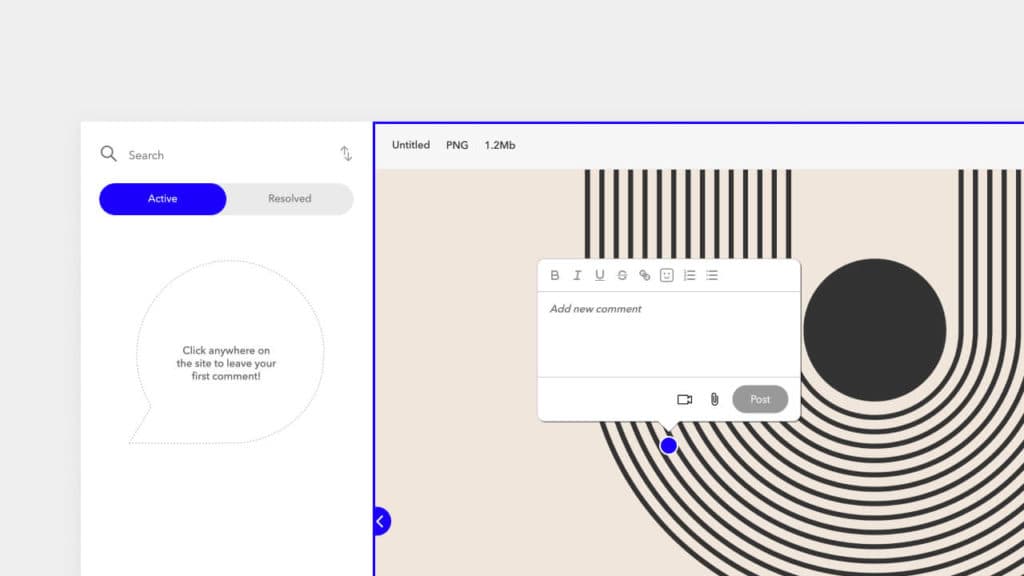
MarkUp.io is a visual feedback tool that allows reviewers to pin comments to specific design elements with their input.
It supports a wide range of file formats (including live website annotation) that eliminates issues with file conversion.
Now that the distinction between the two tool types is clear let’s explore the two functions separately. We’ll start with tools for collecting user feedback.
Tool #1: Hotjar
Hotjar offers a combination of feedback tools and analytics to help professionals understand users’ behavior while offering website visitors the right tools for voicing their feedback.

Image Source: Hotjar
Key features
The main features offered by Hotjar include:
Heatmaps that track users’ activity on a website
Surveys
Age-level live feedback widgets
Recordings of users’ site visits
Pricing
Hotjar prices range from $32 and $171 per month. It offers a free version and a custom-priced plan for scaling businesses.
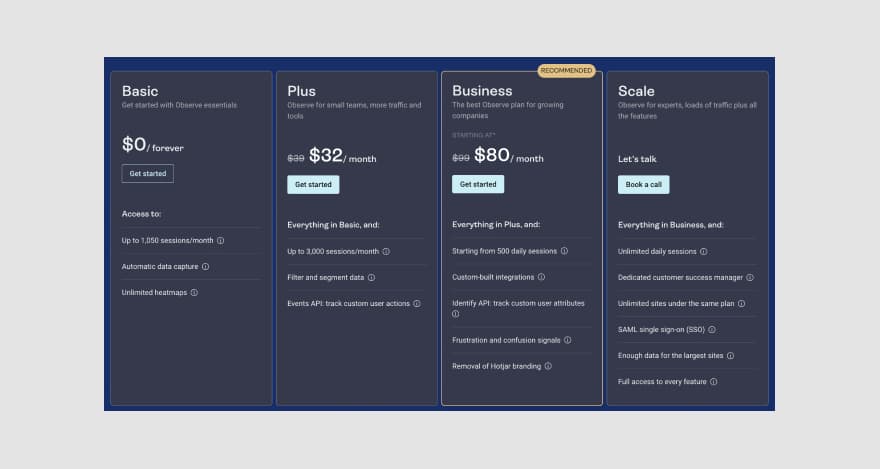
Image Source: Hotjar
Tool #2: SurveyMonkey
SurveyMonkey is an online VoC survey tool. It can be used for many purposes, including website feedback, customer experience, employee satisfaction, etc.
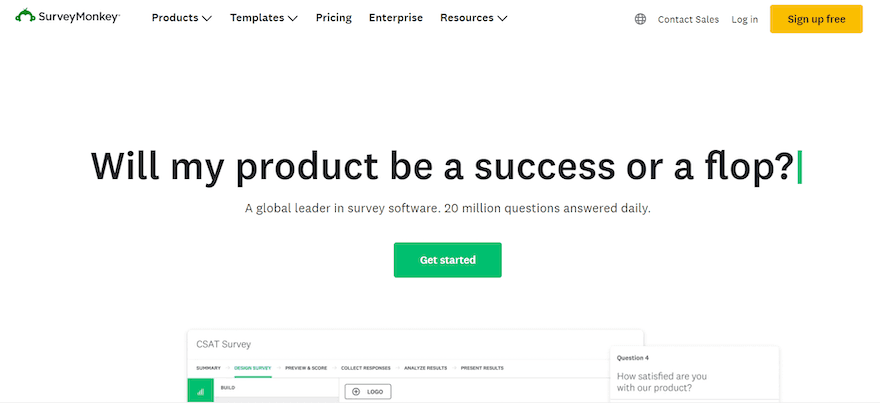
Image Source: SurveyMonkey
Key features
SurveyMonkey supports features like:
Surveys, quizzes, and polls
Automated survey analytics tools that interpret results
Templates for multiple scenarios (e.g. product testing, employee engagement, customer service, etc.)
Pricing
SurveyMonkey is offered across three paid plans. Pricing ranges from $30 to $75 per month (or £25 to £75 per month). An enterprise plan is available on demand.
Additionally, SurveyMonkey also features a free version.
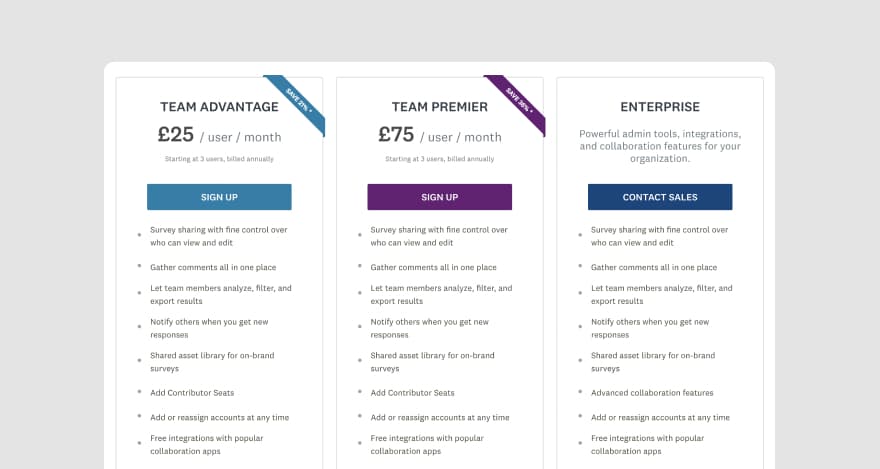
Image Source: SurveyMonkey
Tool #3: GetFeedback
GetFeedback is a customer experience platform that enables website owners to collect feedback from their visitors. It helps professionals collect live feedback across multiple channels such as SMS, email, website, and apps.
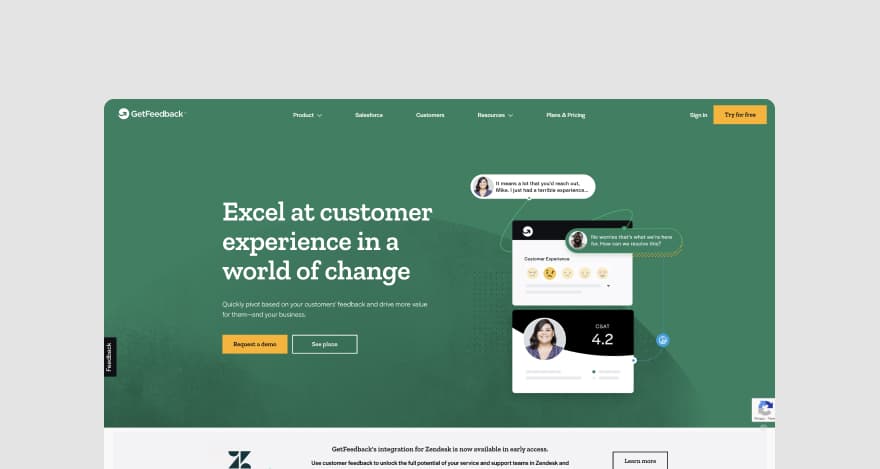
Image Source: GetFeedback
Key features
GetFeedback supports features like:
Website and app surveys
Advanced targeting tools for campaigns that address specific user categories
Metadata capture (visitors’ browser, location, device, etc.)
Customizable feedback button
Pricing
GetFeedback features three pricing plans with quotes available on demand. The platform also offers a 14-day free trial.
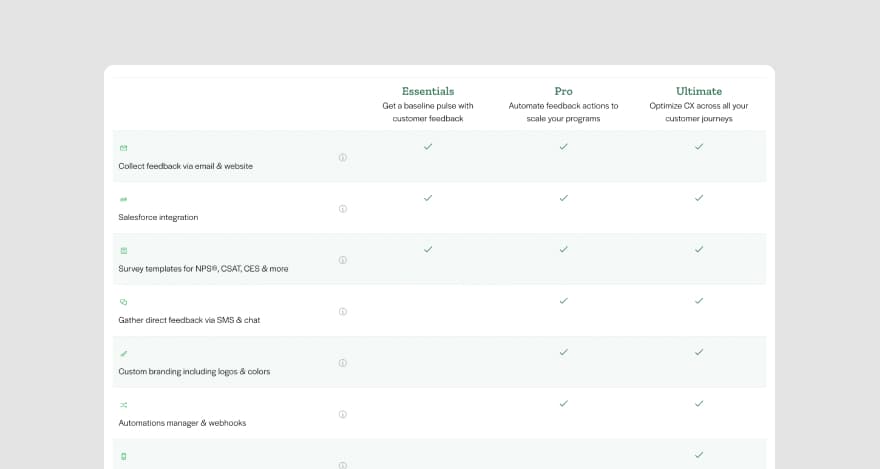
Image Source: GetFeedback
Tool #4: HubSpot Customer Feedback Tools
HubSpot’s customer feedback software enables teams to collect feedback on customer experience (CX) better to understand customers’ expectations through customer loyalty surveys.
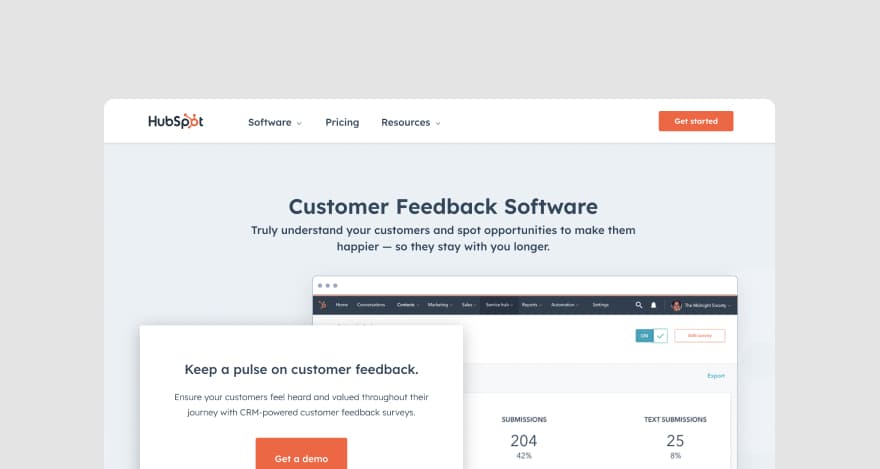
Image Source: HubSpot
Key features
HubSpot’s features include:
One-on-one customer communication
The ability to create tickets that can be prioritized and tracked
CX survey deployment
Live chat
Conversational bots
Pricing
The customer feedback features are included in the Service Hub Professional and Enterprise pricing plans that range from $0 to $1,200 per month.
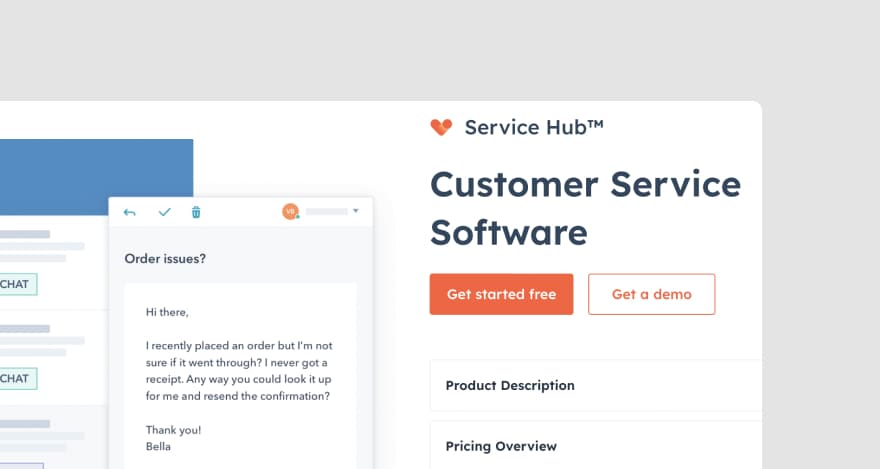
Image Source: HubSpot
Tool #5: Qualaroo
Qualaroo is a user research and customer feedback tool that helps users conduct surveys about products, services, and brands.
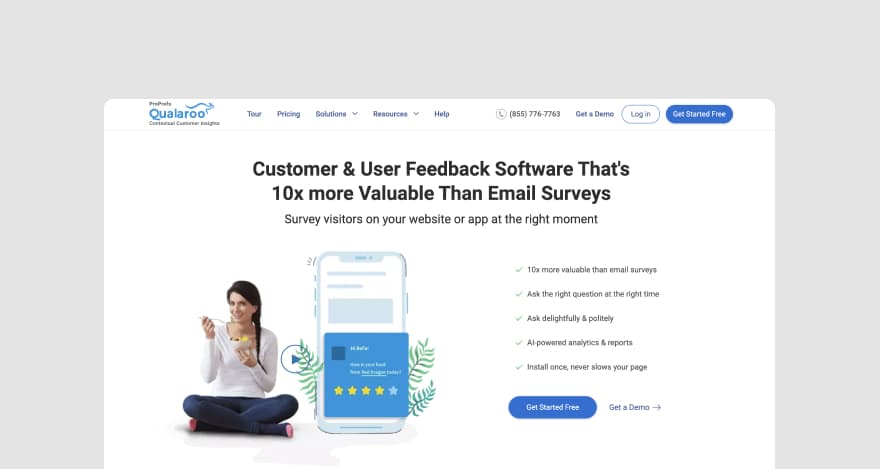
Image Source: Qualaroo
Key features
The features offered by Qualaroo include:
AI-powered analytics
Website and app feedback surveys
Survey templates
Sentiment analysis
A/B testing
Design prototype testing
Pricing
Qualaroo’s pricing ranges from $0 to $19.99 per month. The tool offers a Free plan and a Business plan depending on your needs.
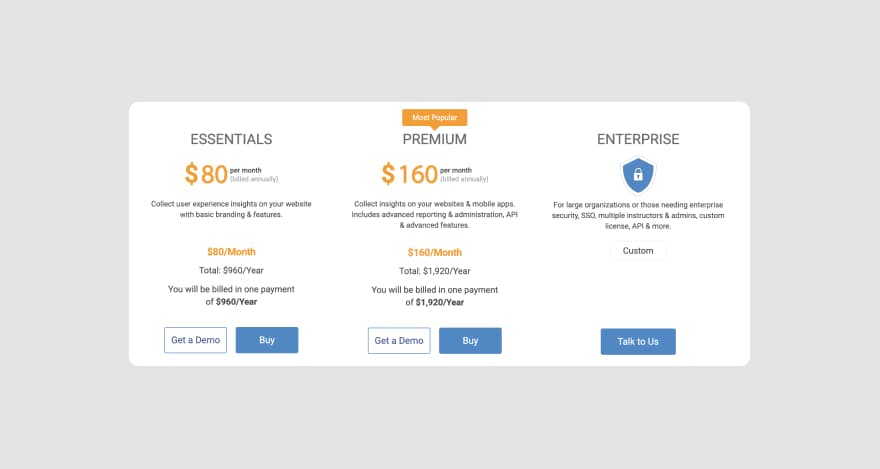
Image Source: Qualaroo
Tool #6: Usersnap
Usersnap is customer feedback software designed for collecting users’ input on digital products such as websites and apps.
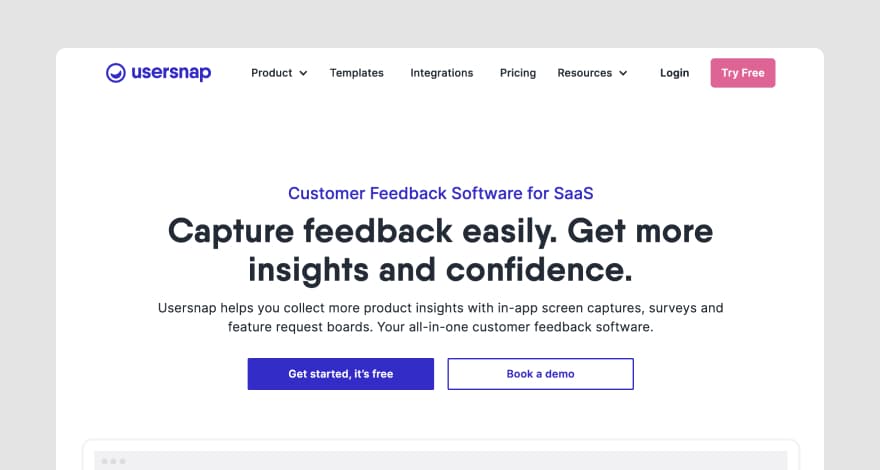
Image Source: Usersnap
Key features
Bug tracking
Bug reporting
Visual feedback with screenshots and screen recordings for websites and apps
Automated feedback assignment
Pricing
Usersnap’s pricing ranges between €69 (roughly $68.63) per month and €949 (roughly $943.92) per month. Free trials are available.
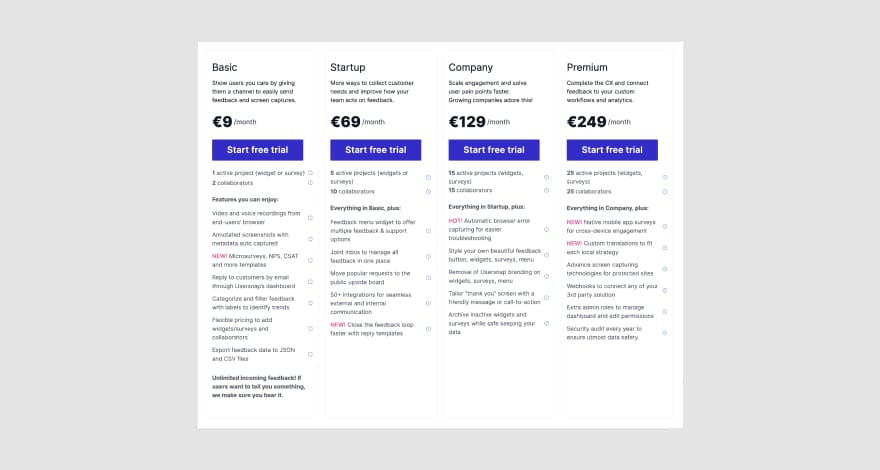
Image Source: Usersnap
Tool #7: UserVoice
UserVoice is a product-feedback management platform used to gather, analyze, and implement customer feedback. It enables team members to make data-driven decisions based on customers’ input.
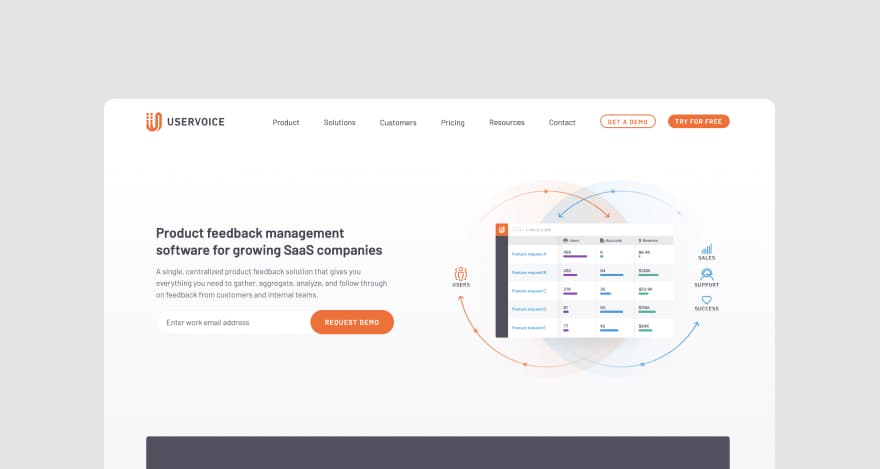
Image Source: UserVoice
Key features
With UserVoice, you can:
Capture feedback in Slack, Salesforce, and Zendesk
Add in-app feedback widgets to mobile apps
Collect on-site feedback through the UserVoice API
Leverage an in-browser internal review functionality
Keep customers engaged with reactions (e.g., thumbs up/down buttons), status updates, etc.
Pricing
UserVoice’s subscriptions start at $699 per month, with the most popular plan costing $1,349 per month. The platform also features a custom-priced enterprise plan. Free trials and product demos are available.
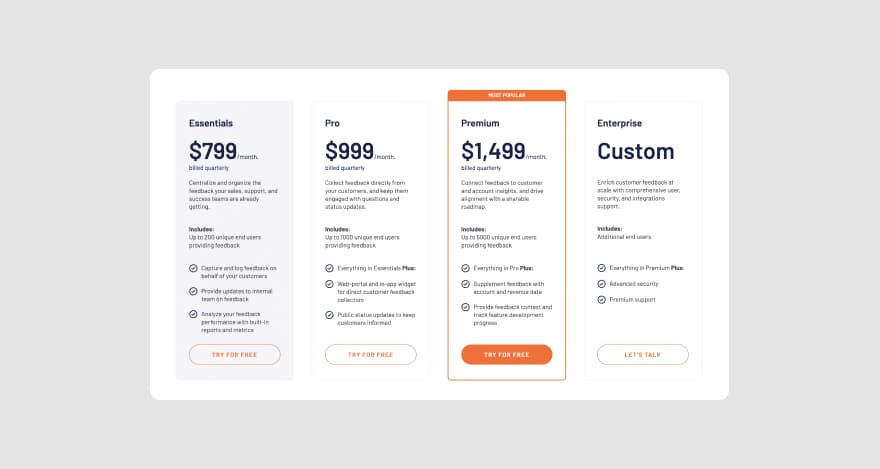
Image Source: UserVoice
The bottom line
User feedback is vital to meeting customer expectations. But it’s not the only type of feedback a product needs to reach maturity—expert opinions from other professionals on your team are just as valuable as customer insights.
That’s why we’re reviewing the most relevant website feedback tools for internal reviews next.
MarkUp.io is top of the list 😁.
Tool #8: MarkUp.io
MarkUp.io is a web-based visual feedback platform designed to simplify the review and approval workflow of creative teams of designers, devs, content creators, marketers, and other professionals with a content-heavy workload.
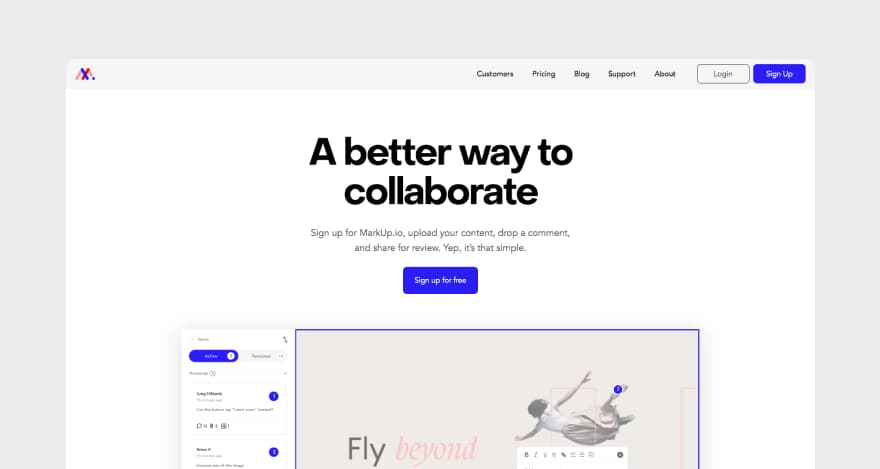
Image Source: MarkUp.io
Key Features
MarkUp.io’s key features include:
Live website markup (e.g., creating MarkUps of landing pages, homepages, etc.) either through the platform or with its Chrome extension for website feedback
Real-time visibility into the review process (reviewers add comments that become instantly visible for all the connected team members)
Project-level updates and notifications
Video feedback, which can be uploaded as an attachment with MarkUp’s Loom integration
Feedback archive
Comment attachments and @mentions
Plus, new features (like approvals) are in the pipeline to be released later this year! Read our blog on website annotation to learn more about MarkUp’s website feedback features and how to make the most of them.
Pricing
MarkUp.io features two pricing plans, with the Pro plan being the most popular choice.
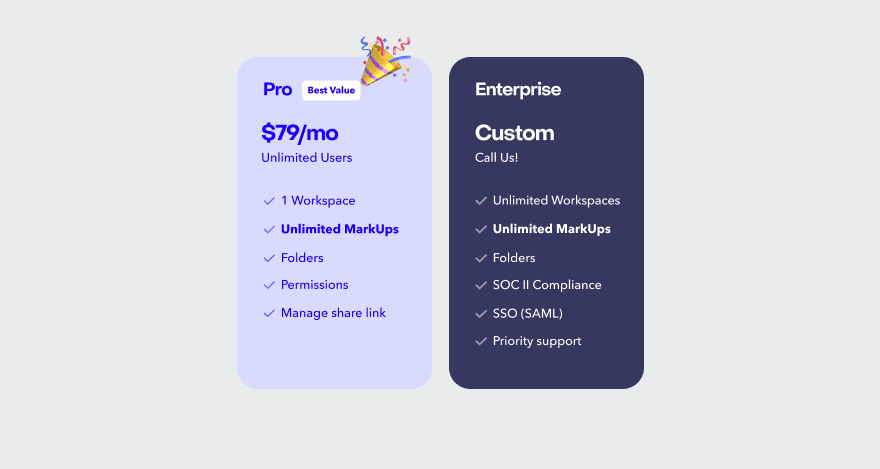
Image Source: MarkUp.io
The Pro plan starts at $25 per month (when paid annually) and offers users the best bang for their buck. It features all the must-have capabilities users need for a smooth review process (like unlimited users, Folders, link-sharing management, unlimited MarkUps, and up to 500 GB of storage).
The platform’s core features are also offered as a free version. For larger organizations, a custom-priced Enterprise plan is available.
Try out MarkUp.io’s premium features with a free 30-day trial.
Tool #9: Filestage
Filestage is a review and proofing platform that streamlines the process of content review and approval with markup tools and file-sharing capabilities.
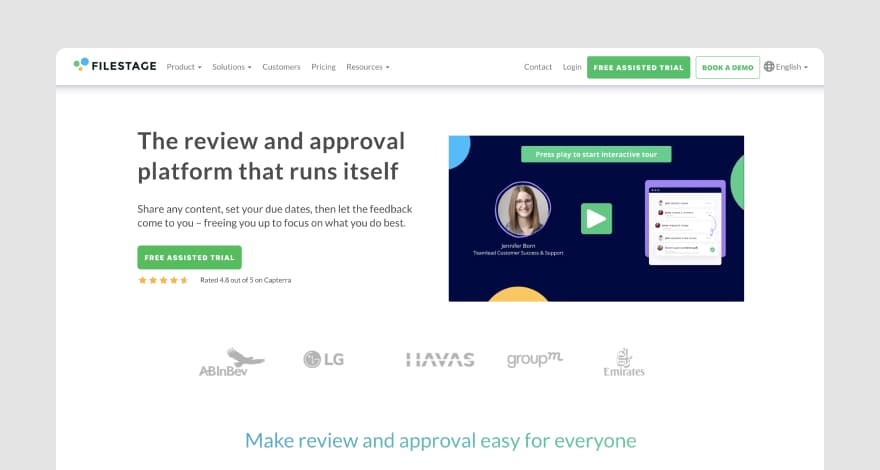
Image Source: Filestage
Key features
Filestage supports features like:
Live website annotation
Side-by-side version comparison
Due dates for internal reviews
Workflow review
Pricing
Filestage’s pricing ranges from €49 to €249 per month. A customizable enterprise pricing plan is offered on demand. Product demos and free trials are also available.
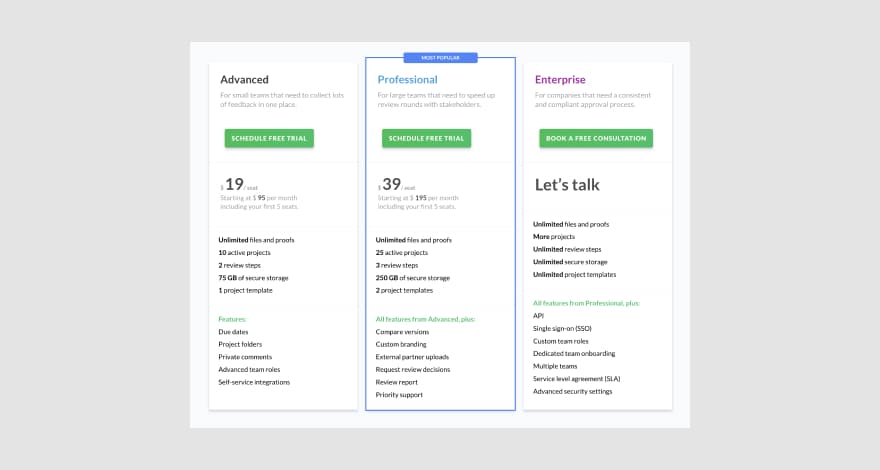
Image Source: Filestage
Tool #10: ruttl
ruttl helps users reduce website and app review time through contextual feedback pinned to live websites, web apps, PDFs, etc.

Image Source: ruttl
Key features
ruttl supports features like:
Website annotation
Editing CSS elements (e.g., replacing images on live website markups)
Comment assignment with @mentions
Version comparison
Trello and Asana integration
Pricing
ruttl features three paid plans and a free version. The premium subscriptions range from $13 to $33 per month. A custom Team plan is available upon request.
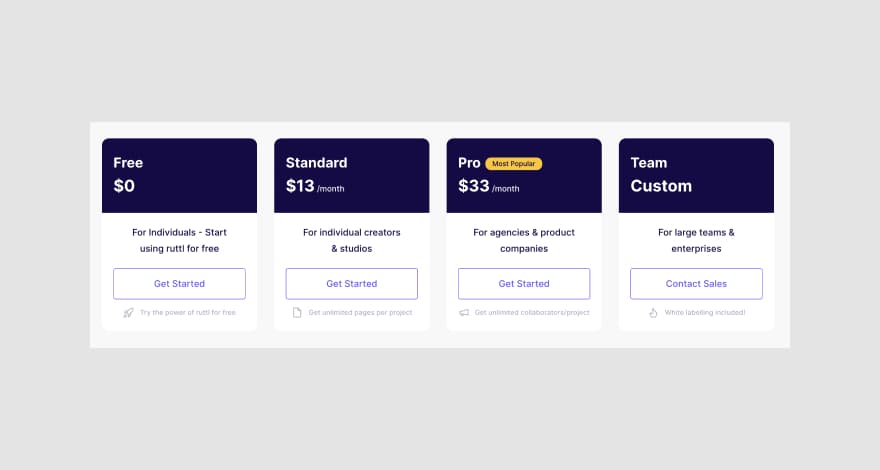
Image Source: ruttl
Tool #11: Pastel
Pastel is an in-browser annotation tool suitable for real-time website reviews. The platform allows users to collect and provide pixel-accurate feedback and create revision tickets and tasks in Jira, Asana, and Trello.
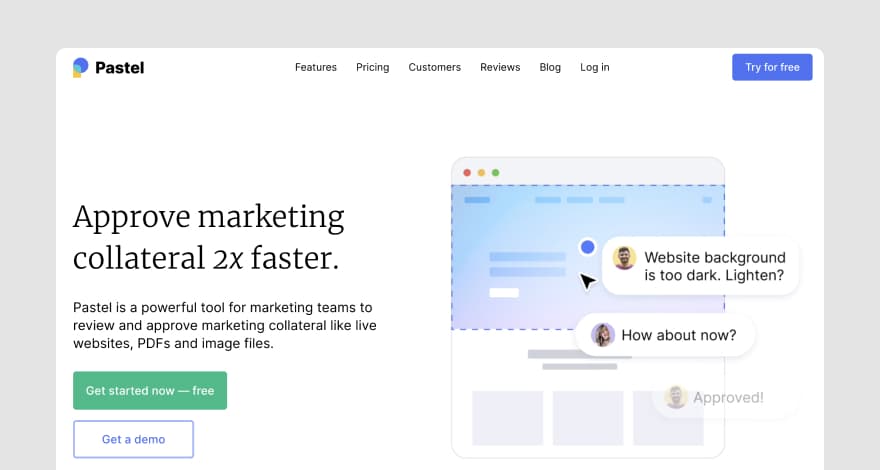
Image Source: Pastel
Key features
The main features offered by Pastel include:
Website annotation
Comment attachments
@mentions
Website-responsiveness testing
Label-based feedback organization system
Copy editing on websites
Pricing
Pastel is offered as a free version for one user. Pastel pricing ranges from $24 to $350 per month for teams.
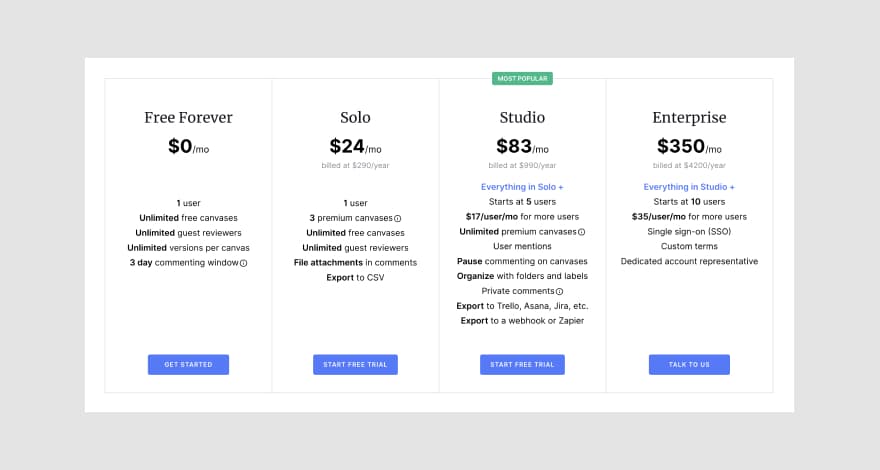
Image Source: Pastel
Tool #12: ReviewStudio
ReviewStudio is an online proofing tool with features that can help simplify revisions and collect feedback.
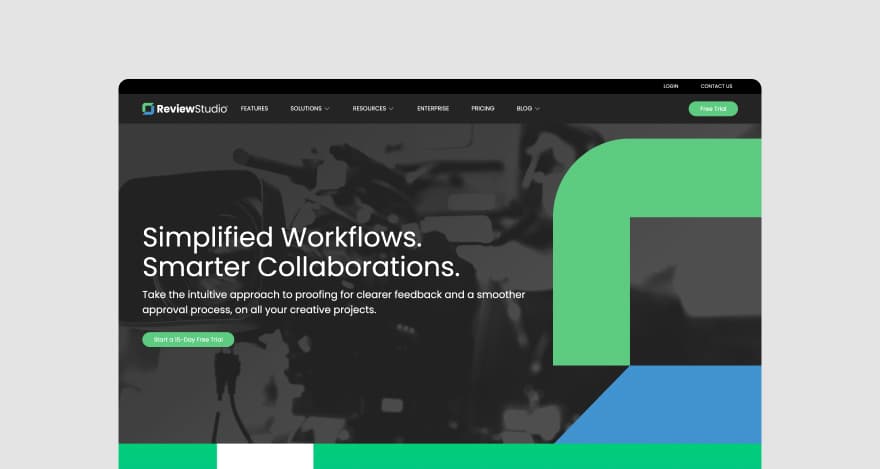
Image Source: ReviewStudio
This software doubles as a collaboration tool that streamlines communication between teams, clients, and stakeholders so everyone is on the same page.
Key features
ReviewStudio is stacked with different features, including:
Annotation tools for clear feedback
Feedback attachments to provide context to comments
@mentions to tag collaborators
Approval management to assign approvers, set deadlines, and track the process.
Instant notifications to keep teammates up-to-date
Pricing
ReviewStudio’s pricing plans range from Free to $20/mo. Enterprise: available on demand
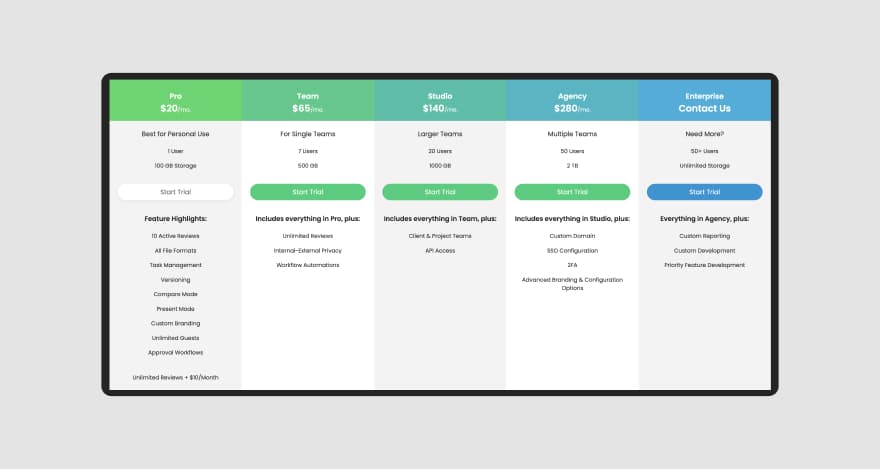
Image Source:
Tool #13: Ziflow
Ziflow is a creative collaboration platform that streamlines project delivery by optimizing the process of reviewing and approving creative content. It also supports workflow automation for multi-stage approvals.

Image Source: Ziflow
Key features
Ziflow’s most relevant features for website feedback include:
Web-native content (websites, banners, etc.) and static file annotation
Integration with Monday.com, Asana, Dropbox, Google Drive, etc.
Side-by-side version comparison
Comment threads
Comment attachments
Adding comments to to-do lists
Pricing
Ziflow’s pricing ranges from $20 to $40 per month. The platform offers a free version suitable for personal use and a custom-priced Enterprise plan upon request.
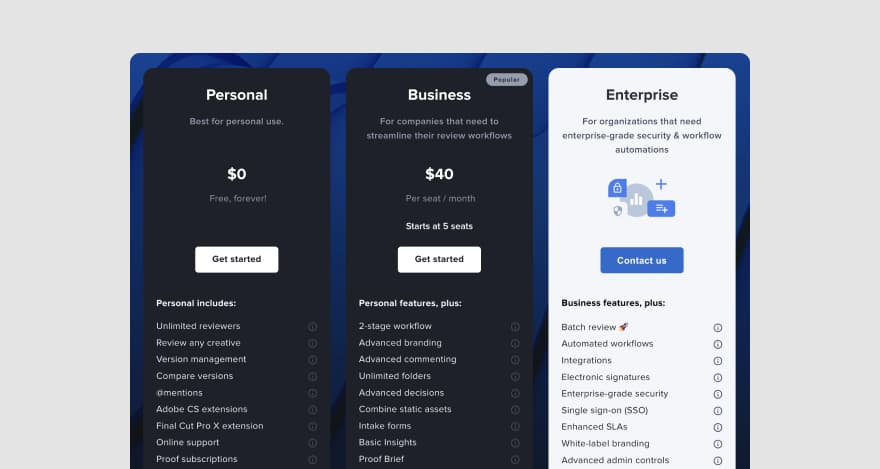
Image Source: Ziflow
Tool #14: Marker.io
Marker.io is a complete website feedback platform suitable for both internal reviews and customer feedback collection. The platform also lets users send contextual bug reports from the website, speeding up the QA testing process.
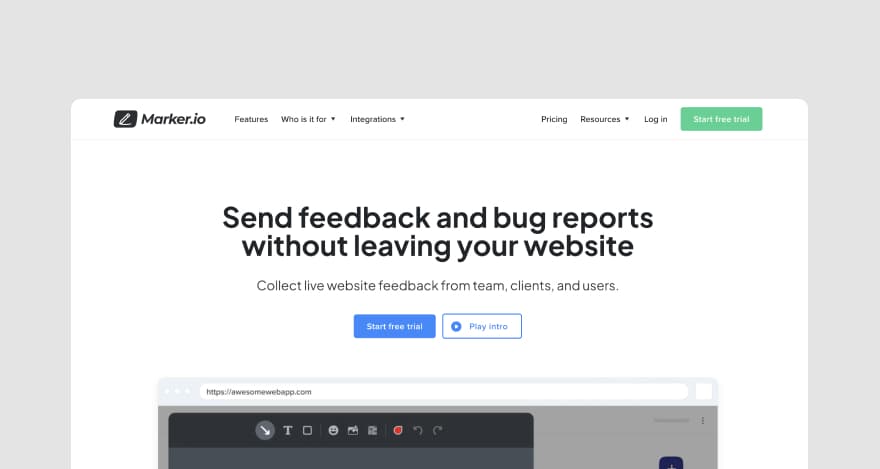
Image Source: Marker.io
Key features
Marker.io is equipped with features like:
Bug reporting
On-screen visual annotations and screen capture
Console recording (errors are logged and recorded when reporting an issue)
Environment data included in bug reports (browser, operating system, etc.)
Pricing
Marker.io’s pricing starts from $39 per month, and a free version is not available, but free trials can be requested. An Enterprise plan is also offered on request.
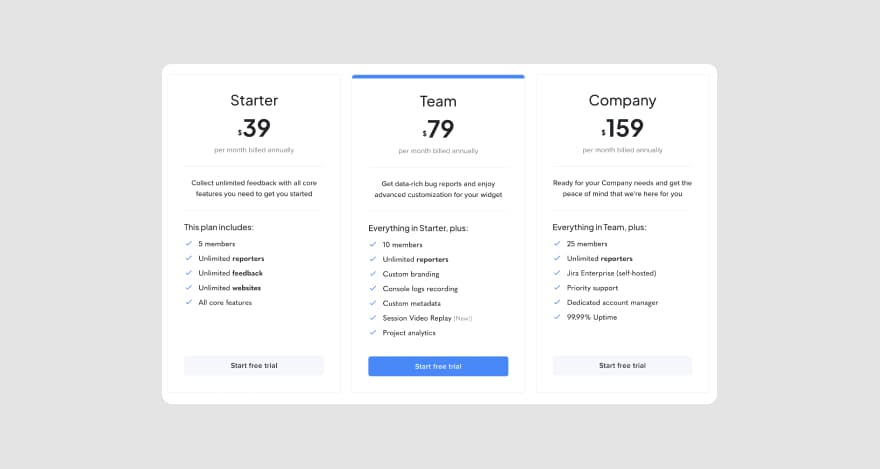
Image Source: Marker.io
Tool #15: nootiz
nootiz is a visual feedback-management tool suitable for creative agencies, development teams, and web designers. The platform enables users to clarify their website review processes through contextual comments.
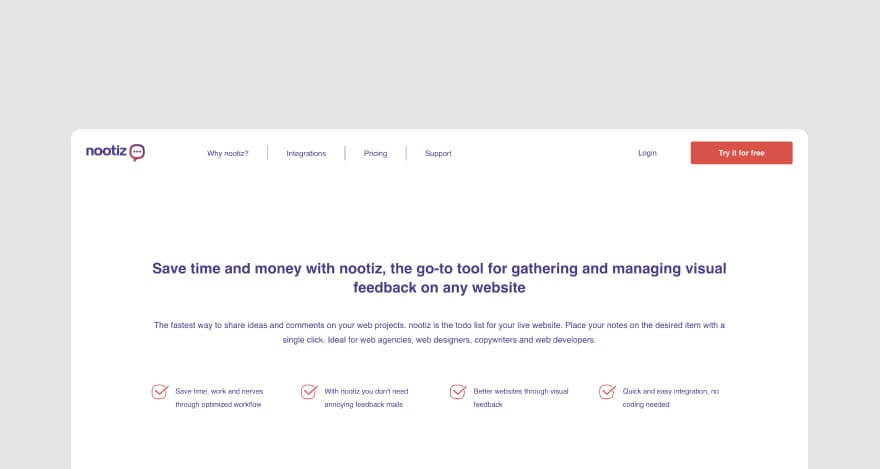
Image Source: nootiz
Key features
Relevant features supported by nootiz include:
Visual feedback for websites
Task delegation
Integration with asynchronous communication tools like Asana and Trello
Object selection and text selection when requesting edits
File attachments to comments
Pricing
nootiz features a free version that can be used for small personal web projects. Additionally, the platform offers three paid plans that range from $8.33 to $24.99 per month.
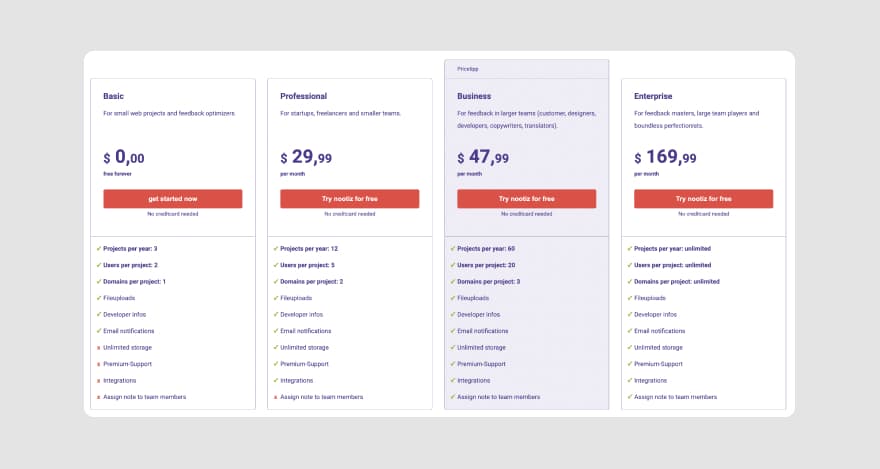
Image Source: nootiz
Congrats!
You’ve graduated from our crash course in website feedback tools. 🥳
Now what?
Over to you
Hopefully, now you can take the guesswork out of pre-launch website review sessions and post-launch CX mishaps and unsatisfactory metrics.
Trust us, contextual feedback makes a huge difference in how efficiently you meet expectations—be it the expectations of stakeholders or users.
In other words, the two kinds of website feedback tools we reviewed today will help you clarify your internal and user feedback processes.
For hassle-free internal website review sessions, we’re right by your side and can help you kick-start your journey toward clearer feedback in seconds.
What are you waiting for? Start your free 30-day trial with MarkUp.io!
GIF Source: Giphy
Frequently asked questions (FAQs)
Q1. What types of tools are used for website feedback?
The tools used for website feedback are divided into two categories:
Visual feedback tools for usability testing: enable web design teams to streamline internal review sessions and easily collect contextual feedback from stakeholders.
Website feedback tools for user reviews: help users collect feedback from website visitors.
Q2. How do you collect feedback on a live website?
To collect feedback on a live website with MarkUp.io, you have to:
Copy and paste a website’s URL into your MarkUp.io Workspace
The platform automatically creates a MarkUp of your URL
Share the Website MarkUp with reviewers via link or email
Reviewers pin comments with their input to your design
You implement the feedback
Alternatively, you can also use MarkUp.io’s Chrome extension to create Website MarkUps without leaving the webpage you’re on.