Top 9 Frame.io alternatives for seamless video reviews

Looking for powerful and easy-to-use Frame.io alternatives for hassle-free video reviews and collaboration? This guide includes the best Frame.io alternatives.
By Mary Mattingly
November 16th 2022


So, you’re looking for a Frame.io alternative, and you just realized that the market for video proofing software is bigger than expected.
Luckily, there’s no need for you to know the market inside out to pick the right tool for your business.
There’s an easier, less time-consuming way to find your perfect match!
GIF Source: Giphy
Because we know how little free time creative professionals have, we’re going to help you out on your decision-making journey with this buyer’s guide covering the best nine Frame.io alternatives available in today’s market.
It covers pricing and key features and was created to save you time and make an informed purchase decision faster.
But before getting into the details, head to our comparison table for a comprehensive overview of what you’re in for.
Disclaimer: The information presented in this article is collected from publicly available sources as of this blog post’s update date, January 29 2024.
Frame.io alternative comparison table
At a glance, here are the nine Frame.io alternatives we’re covering in this guide. ✅
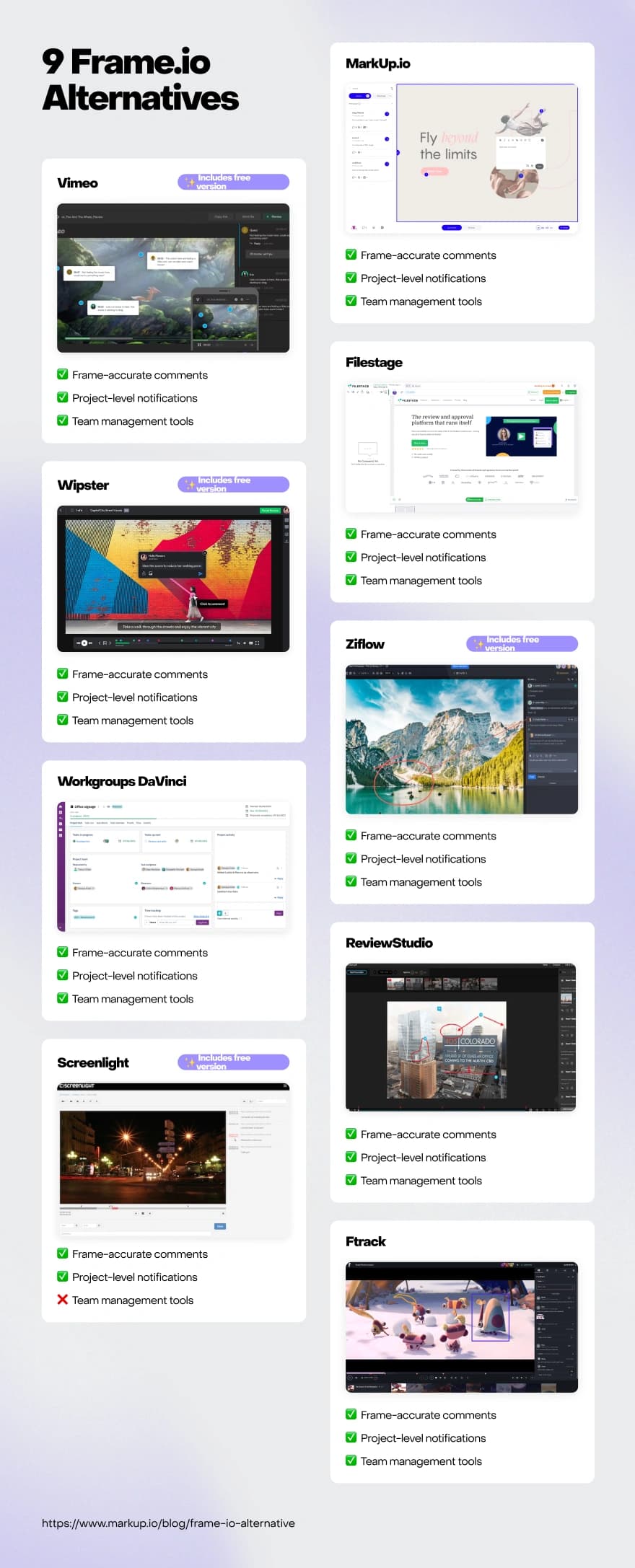
Before jumping to the first solution on our list, please note that we made the selection based on the functionality of each tool, focusing on the video reviewing features of each platform.
And to make the comparison fair, we tried to guide our search by three main criteria:
Time-coded/frame-accurate comments on videos
Notifications and project updates for easy project status tracking
Some form of team management, user-level permissions, visibility settings, and the like
That being said, you may find a few tools on the list that don’t offer all three features. They were included anyway because smaller teams and freelancers might not use every complex feature included with a platform.
We also included more straightforward tools that can be viable Frame.io alternatives for smaller businesses and individuals.With that out of the way, let’s get onto the fun part.
Tool #1: MarkUp.io
MarkUp.io is a visual commenting platform developed as a digital workspace for seamless creative collaboration.
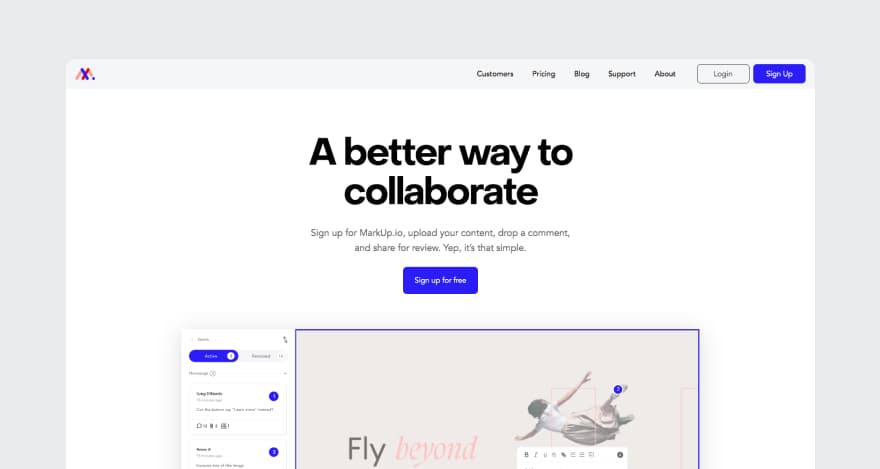
The MarkUp.io platform helps creative professionals streamline their workflow and eliminates the need for online conferencing and calls.
Users can share their creative projects with stakeholders via a link or email and get notifications whenever reviewers leave comments. This helps teams effortlessly stay up-to-date on project statuses.
The platform allows remote teams to leverage asynchronous and real-time collaboration with powerful integrations like Loom, a video messaging tool.
With MarkUp.io’s Loom integration, collaborators can record their screens and provide explanations for what they want rather than waiting to provide clarification during a call. Looms are automatically attached as comments to a MarkUp, saving time and making the review process more efficient.
Who can use MarkUp.io, and for what purpose?
MarkUp.io can be used by any creative team, no matter its size.
The platform effortlessly accommodates the needs of enterprises, small and medium-sized businesses (SMBs), and freelancers.
MarkUp.io can be used by professionals in:
Post-production
Video marketing
Advertising
Filmmaking
Content creation
As well as any other creative industry.
Key features
MarkUp.io features flexible tools for video collaboration, such as:
Frame-accurate comments that include timestamps
Precision video scrubbing
Project-level notifications and updates
Account-level permissions (available with the Pro and Enterprise plans)
Plus, the platform isn’t just for video. Users can also annotate the most commonly-used file formats, including images, design files, PDFs, and HTML files. It even supports live website annotation.
GIF Source: Giphy
Moreover, after users implement the feedback and resolve the comments within their MarkUps, the platform automatically starts archiving feedback.
Having access to a complete feedback archive for each completed project allows users to identify areas for improvement and monitor the evolution of their skills.
Pricing
MarkUp.io features two paid plans.
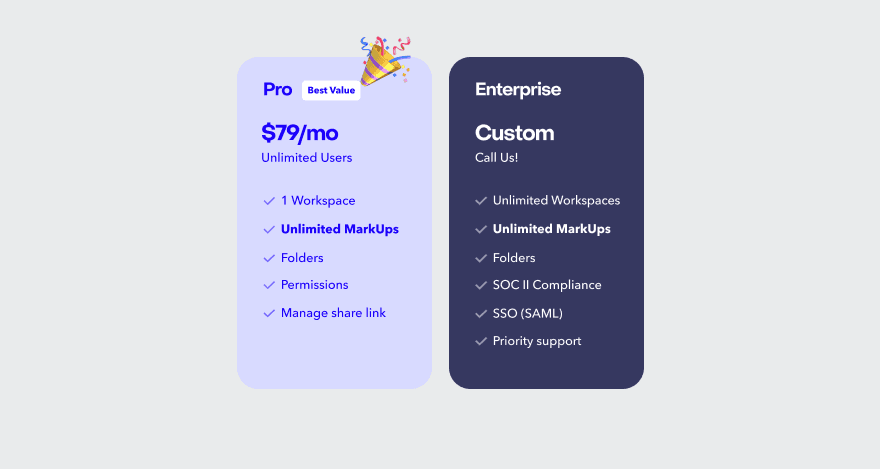
If you’re managing a growing team and need more flexibility, the Pro plan is a great option at $79/month. It includes 500GB of storage, unlimited MarkUps, unlimited users, Folders for organization, priority support, and more advanced features—making it the most popular choice for small to midsize teams.
For larger teams and enterprises with more complex needs, the custom-priced Enterprise plan offers unlimited Pro Workspaces, unlimited storage, SOC II compliance, a dedicated Success Manager, and priority support with a 99% SLA.
Tool #2: Vimeo
Vimeo is a video-sharing and video-hosting platform with tools for video creation, video management, and team collaboration.
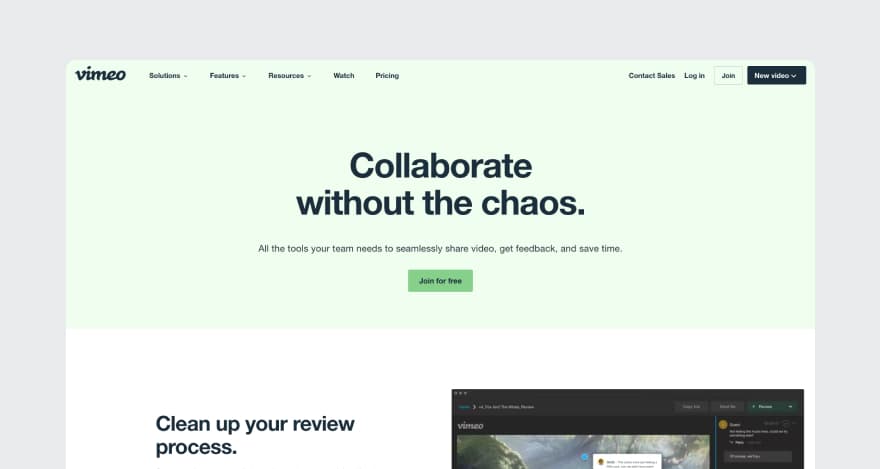
Image Source: Vimeo
The platform enables users to create and publish video content in the form of:
Interactive videos
Video streaming
Screen recordings
Moreover, Vimeo features capabilities for private video event hosting, reporting, analytics, and ways to monetize videos.
Who is it for?
Vimeo was developed for freelancers as well as creative teams and agencies. The typical Vimeo users include:
Video producers
Video marketers
Enterprises, small and medium-sized businesses
Educational organizations
Filmmakers
Key features
We chose Vimeo as a Frame.io alternative is its collaboration and communication features. These include:
Time-coded notes and comments inside videos
Notifications and project review updates
Account-level permissions
Please note that Vimeo supports video annotations only. As such, images, documents, and any other file types that aren’t videos are not supported by Vimeo.
Pricing
Vimeo’s pricing ranges from $9 to $65 per month and features four paid plans and a free basic version.
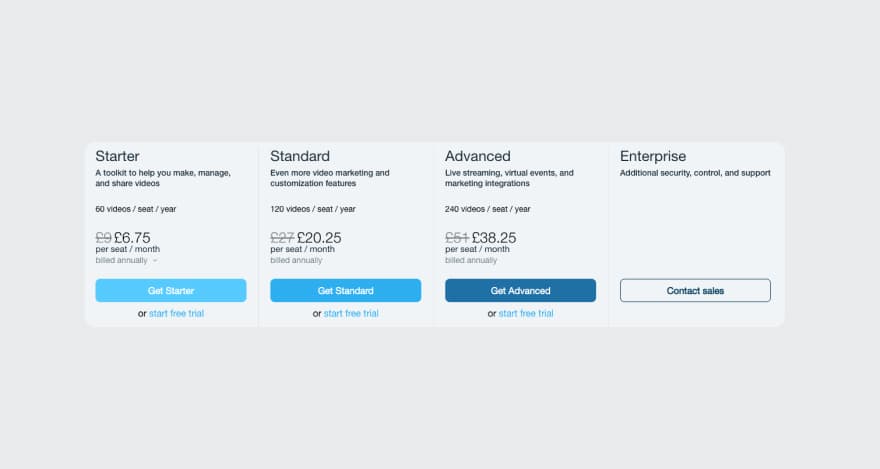
Image Source: Vimeo
Tool #3: Filestage
Filestage is a web-based online proofing platform that enables users to request and provide feedback on deliverables using mark-up tools.
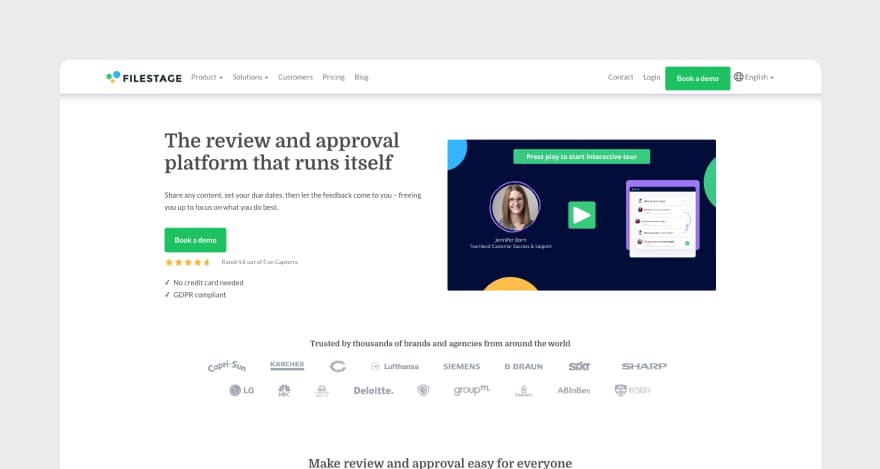
Image Source: Filestage
Like Frame.io, Filestage offers native integrations with Adobe Creative Cloud to enable users to import files straight from Photoshop, Illustrator, etc.
Who is it for?
Filestage offers online proofing solutions for individuals, SMBs, and enterprises.
The platform is suitable for creative agencies, designers, video content creators, and other professionals in creative fields.
Key features
Filestage features multiple collaboration and feedback management tools, including:
Contextual and time-coded video feedback
Automated reminders and project status updates
Advanced team roles
In addition to video annotation, Filestage supports proofing for images, documents, audio files, and live websites.
Pricing
Filestage offers three pricing plans varying from $19 to $39 per user per month.
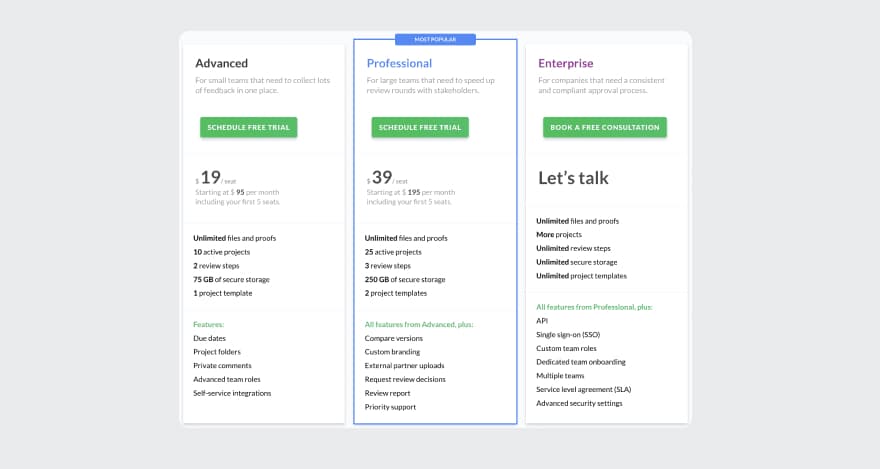
Image Source: Filestage
Even though the pricing plans are based on a per user per month model, the Advanced and Professional plans require a minimum of 5 users.
Custom Enterprise plans are available on demand.
Unfortunately, the platform doesn’t feature a free version. However, free trials and product demos are available.
Tool #4: Wipster
Wipster is a video-led collaboration platform that helps users streamline their review and approval process with file sharing and mark-up features.
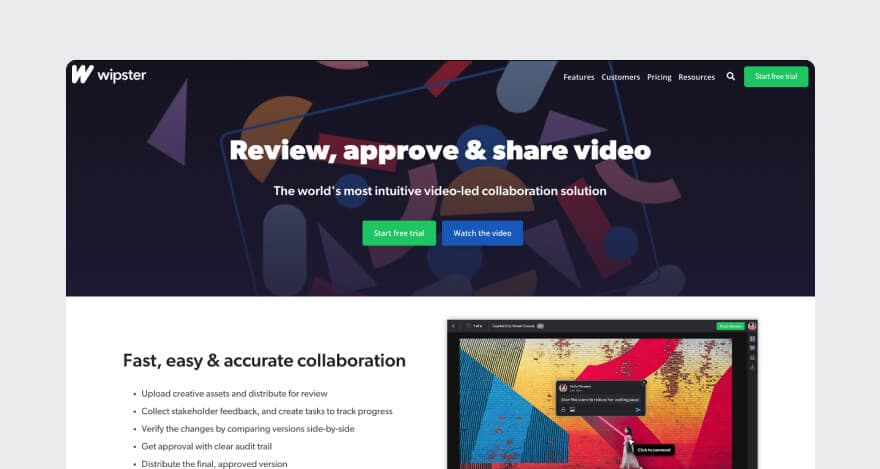
Image Source: Wipster
The platform also features an extension that helps users submit video projects for review without leaving their favorite video editing software, such as Adobe Premiere Pro and After Effects.
Who is it for?
Wipster was developed for large businesses and creative agencies—it says so right on their homepage.
Even though they target big teams, Wipster offers pricing options for freelancers and small teams.
Key features
Wipster is a viable Frame.io alternative thanks to features like:
Frame-accurate comments on video content
Notifications on project and team-level activity
Team management tools
Pricing
Wipster features a free version as well as three paid plans. These are developed for small teams, companies with multiple teams, and enterprises.
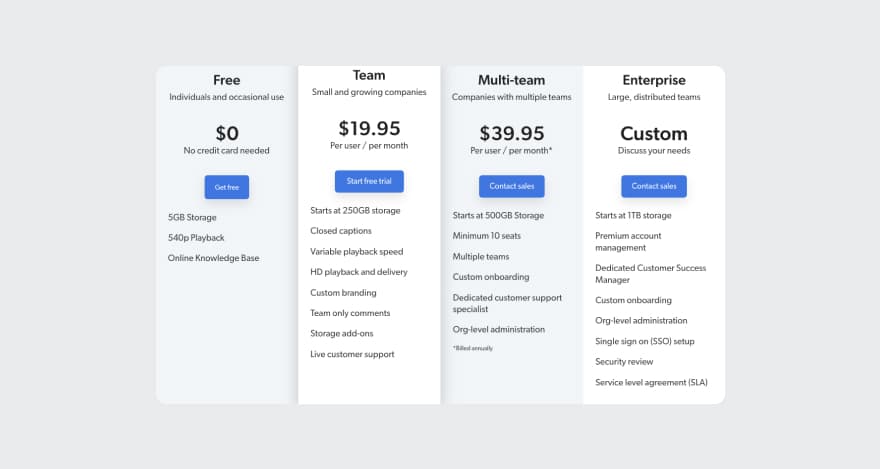
Image Source: Wipster
Pricing varies between $19.95 and $39.95.
The Enterprise plan is customized for companies’ unique needs. Therefore, it is only available on request.
Tool #5: Ziflow
Ziflow is an online proofing software solution created to speed up the approval process typically needed in creative workflows.

Image Source: Ziflow
In addition to complex annotation and collaboration tools, the platform also features workflow templates, workflow automation capabilities, and low-code integrations with the most popular creative tools.
Who is it for?
Ziflow is suitable for all team sizes that need a solution to optimize their approval workflow.
For example, Ziflow can be used by:
Video production companies
Marketing agencies
Product developers
Freelance advertisers
Any other professionals creating and managing creative content
Key features
Ziflow’s key features include:
Time-stamped comments for video projects
Automated project status updates and notifications
Team management tools
Ziflow also supports annotations for the most used media types, including AI, PSD, DOC, DOCX, different spreadsheet file formats, images, audio files, etc.
The platform can also be utilized on mobile devices.
Pricing
Ziflow offers three pricing plans, one that is free and more so suited for personal use.
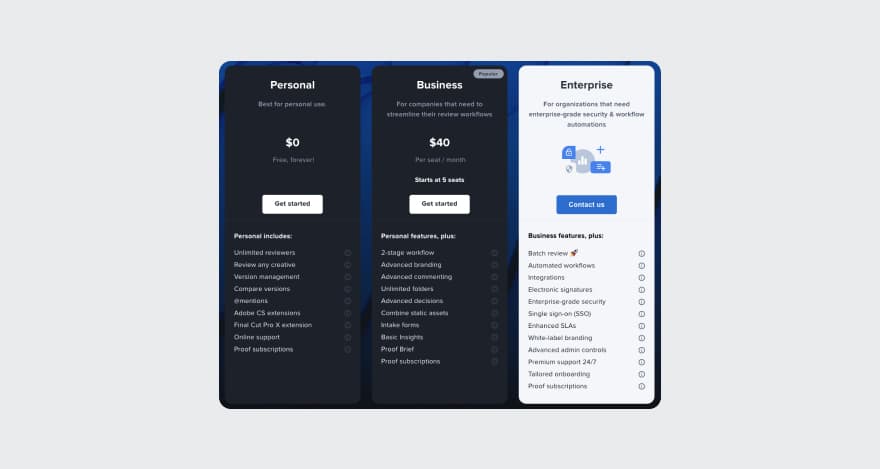
Image Source: Ziflow
The Business plan starts at $40 per user per month. The pricing for the Enterprise plan is available only if requested.
Tool #6: Workgroups DaVinci
Workgroups DaVinci is a workflow and project management solution offering collaboration software capabilities.
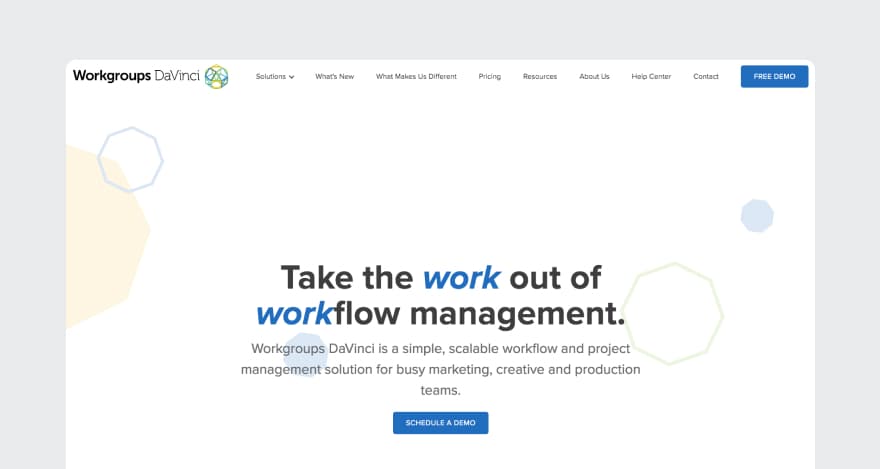
Image Source: Workgroups DaVinci
The platform helps creatives eliminate workflow bottlenecks through flexible workflow templates, task management tools, and project scheduling features.
Who is it for?
Workgroups DaVinci was developed for marketing agencies, production teams, and other creative professionals.
Key features
The Workgroups DaVinci’s features most relevant to our list of Frame.io alternatives include:
Contextual video feedback
Notifications
Team management
Pricing
Workgroups DaVinci offers two pricing plans: one for under 20 team members and one for teams with more than 20 people.
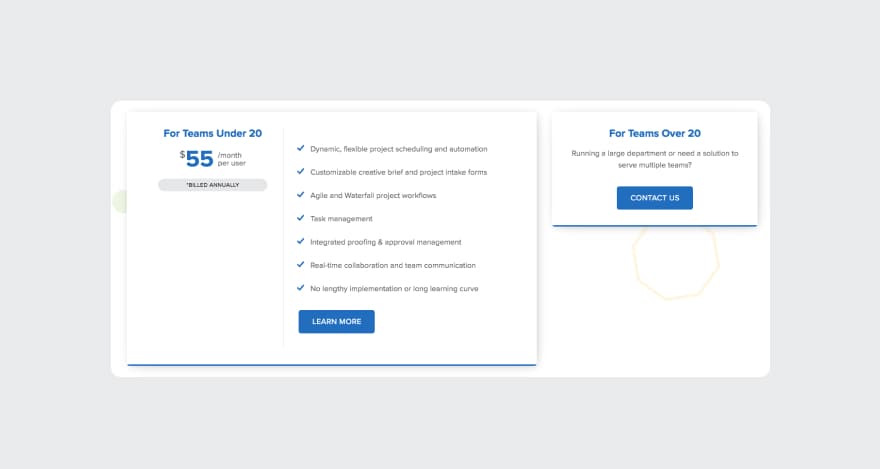
Image Source: Workgroups DaVinci
Pricing starts at $55 per month per user.
Plus, collaborators get to use the platform for free.
Tool #7: ReviewStudio
ReviewStudio is a feedback-centered review and approval software with integrated task management tools and live feedback sessions.
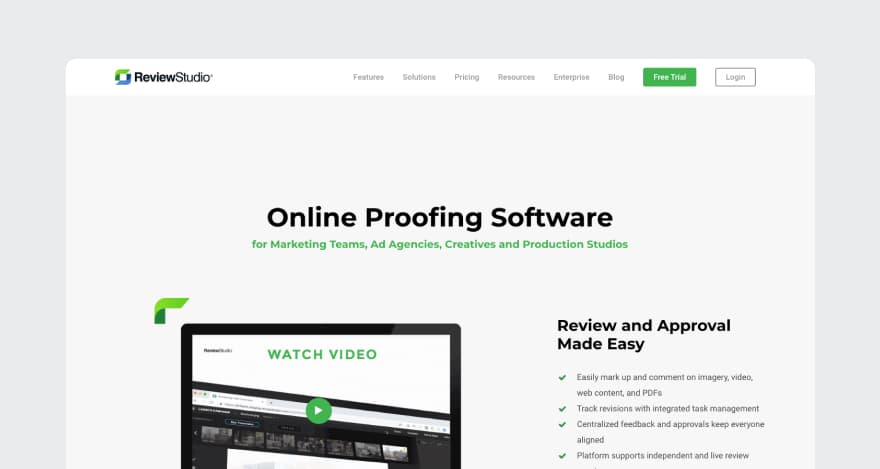
Image Source: ReviewStudio
The platform also features a robust API that enables users to establish custom integrations with their favorite creative tools.
Additionally, ReviewStudio supports multiple integrations via Zapier.
Who is it for?
ReviewStudio is a good fit for marketing teams, advertisers, and production studios. It’s suitable for small teams as well as large enterprises.
Key features
On our list, ReviewStudio made the cut thanks to its key features like:
On-frame video reviews
Deadlines with reminders and digest notifications
Team roles and account-level permissions
Pricing
ReviewStudio’s pricing spans four pricing tiers, starting at $20 per month. A free version is unavailable, but users can sign up for free trials.
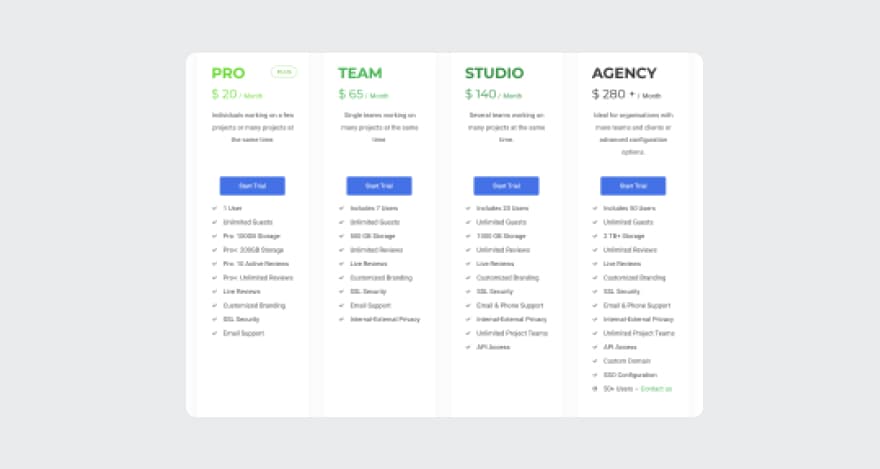
Image Source: ReviewStudio
Tool #8: Screenlight
Screenlight is a video-centered feedback platform that aims to help video producers get reviews and approvals from clients quickly and easily.
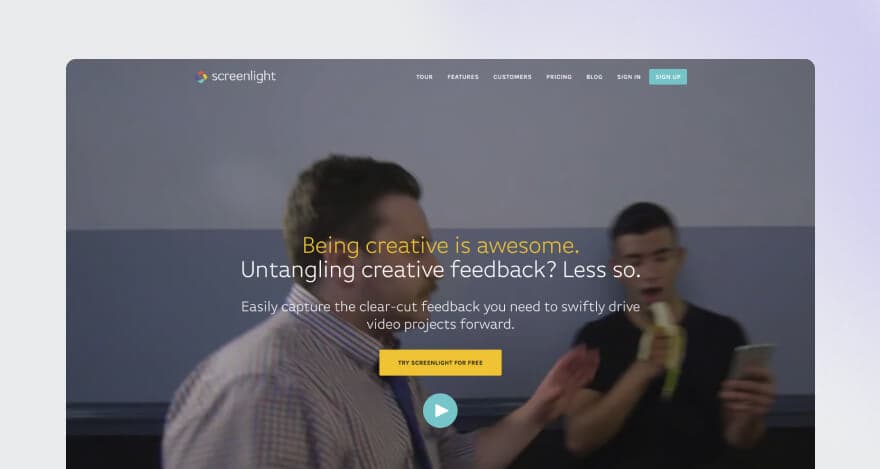
Image Source: Screenlight
In addition to video proofing, the platform offers features like version control and custom branding.
Who is it for?
Screenlight is best for freelancers, SMBs, and enterprises in industries like:
Filmmaking
Video production
Advertising
Education
Media
Key features
The features that made us consider Screenlight as a Frame.io alternative include:
Frame-accurate video commenting tools
Customizable permissions (i.e., view-only mode)
Based on the information publicly available on their website, Screenlight doesn’t offer any team management features.
Pricing
A basic Screelight version is available for free for one user.
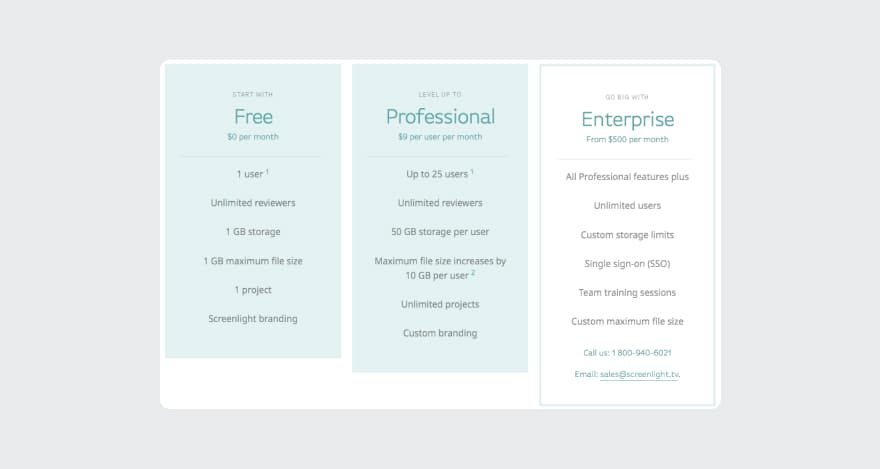
Image Source: Screenlight
Additionally, Screenlight offers two paid pricing plans starting at $9 per user per month for teams and $500 per month for enterprises.
Tool #9: Ftrack
Ftrack is cloud-based project management and production tracking software that also features solutions for video review.
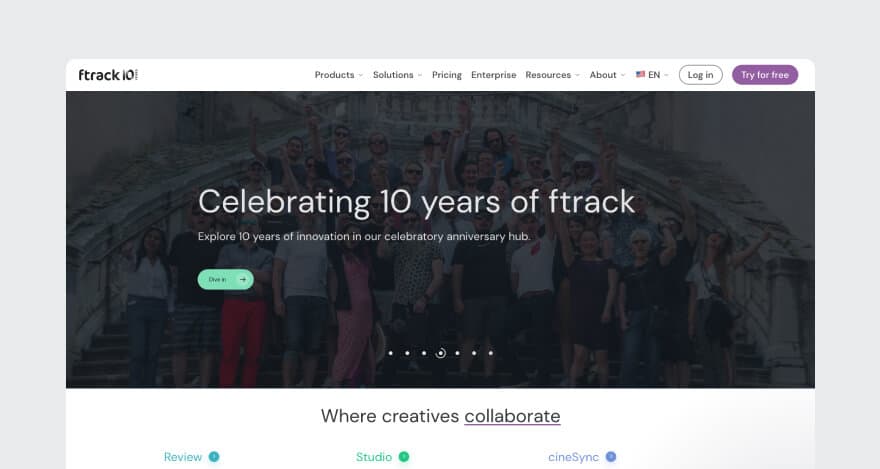
Image Source: Ftrack
The platform allows users to choose from three collaboration solutions that cater to different needs, like:
cineSync: desktop reviews for sensitive content
Review: web-based reviews for regular content
Studio: complete digital asset management for companies with multiple teams
Who is it for?
Ftrack was developed for creative teams working on:
Animation
Commercials
Education
TV
Film
Cinematic and video games
Key features
The most prevalent Ftrack features include:
Frame-accurate video reviews
Task tracking
Team management and reporting tools
Pricing
Ftrack provides three pricing plans, none of which are free. Pricing starts at $10 per month per user.
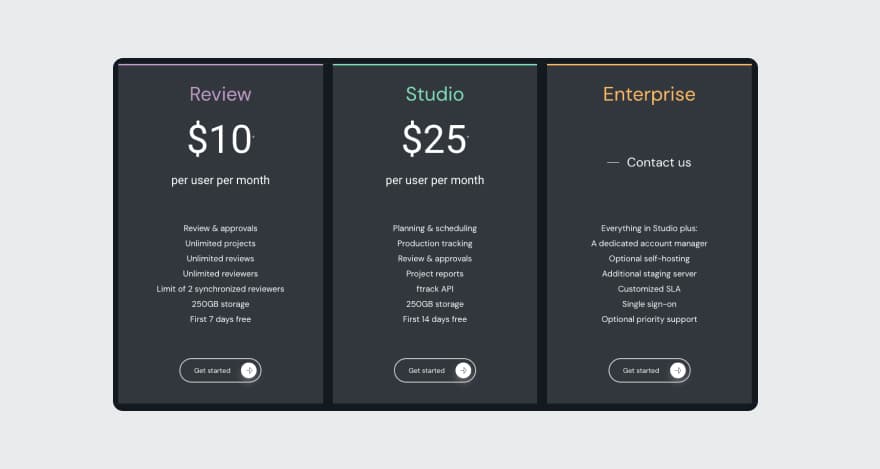
Image Source: Ftrack
A 33% discount applies to all paid plans with annual billing. Free trials are available for new users.
Looking for a Frame.io alternative?
It’s time to stop searching for the perfect Frame.io counterpart, as you might’ve already found it.
HINT: it’s MarkUp.io.
MarkUp.io makes things purposefully easy for you and your team.
If you’re ready to submit your creative projects for review with the simplicity of sharing a meme with your friends, you’re in the right place.
So, what do you say? Are you in for frictionless video reviews?
Sign up for a free trial with MarkUp.io and cruise through the review and approval process like a pro.
GIF Source: Giphy