Slack to the future! 🚀 Taking off with MarkUp.io’s new Slack integration

Learn how to integrate MarkUp.io with Slack, and get alerts about design feedback as soon as it happens.
By Becki Kremer
August 9th 2023


Does gathering feedback feel like an endless wild goose chase?
Where you’re constantly switching between your inbox and Slack channels, looking for updates. 🙃
It’d be so much easier to keep it all in Slack.
Well, brace yourself because we’ve got exciting news…
GIF Source: Giphy
MarkUp.io’s Slack integration is finally here! 🥳 Now, you can receive direct notifications for MarkUp updates or send them out to your favorite Slack channels.
What’s this Slack integration all about?
Our latest integration delivers MarkUp notifications straight to your Slack workspace.
Using the Slack Bot, you can opt for updates in your DMs or broadcast them to team members in any Slack channel. You can also choose to subscribe a channel to a select few MarkUps manually or, if it’s easier, just broadcast all updates.
And when your project’s all wrapped up – no problem!
Head to your Slack settings and switch off your personal notifications via the MarkUp.io Slack app home tab. You’ll find this in the bottom left-hand corner of your Slack workspace, under ‘Apps.’
Want to stop broadcasting MarkUp notifications in a Slack channel? Simply type /markup disconnect, followed by the MarkUp or Workspace URL you’d like to stop broadcasting from, and hit send. This’ll unsubscribe that channel from future notifications.
Here’s a full rundown of everything the Slack integration has to offer. 👇

What else can this integration do?
Glad you asked! 😎
Having a dedicated space for feedback reviews isn’t just good practice; it’s vital for meeting deadlines and keeping that dreaded scope creep at bay.
And that’s where our new Slack integration comes into play.
The integration creates a real-time feedback hub right within Slack (something you probably already use daily). Setting up instant reminders ensures you’re always aware of any comments or updates on your MarkUp.
When a notification pops up, that’s your cue to jump straight into action.
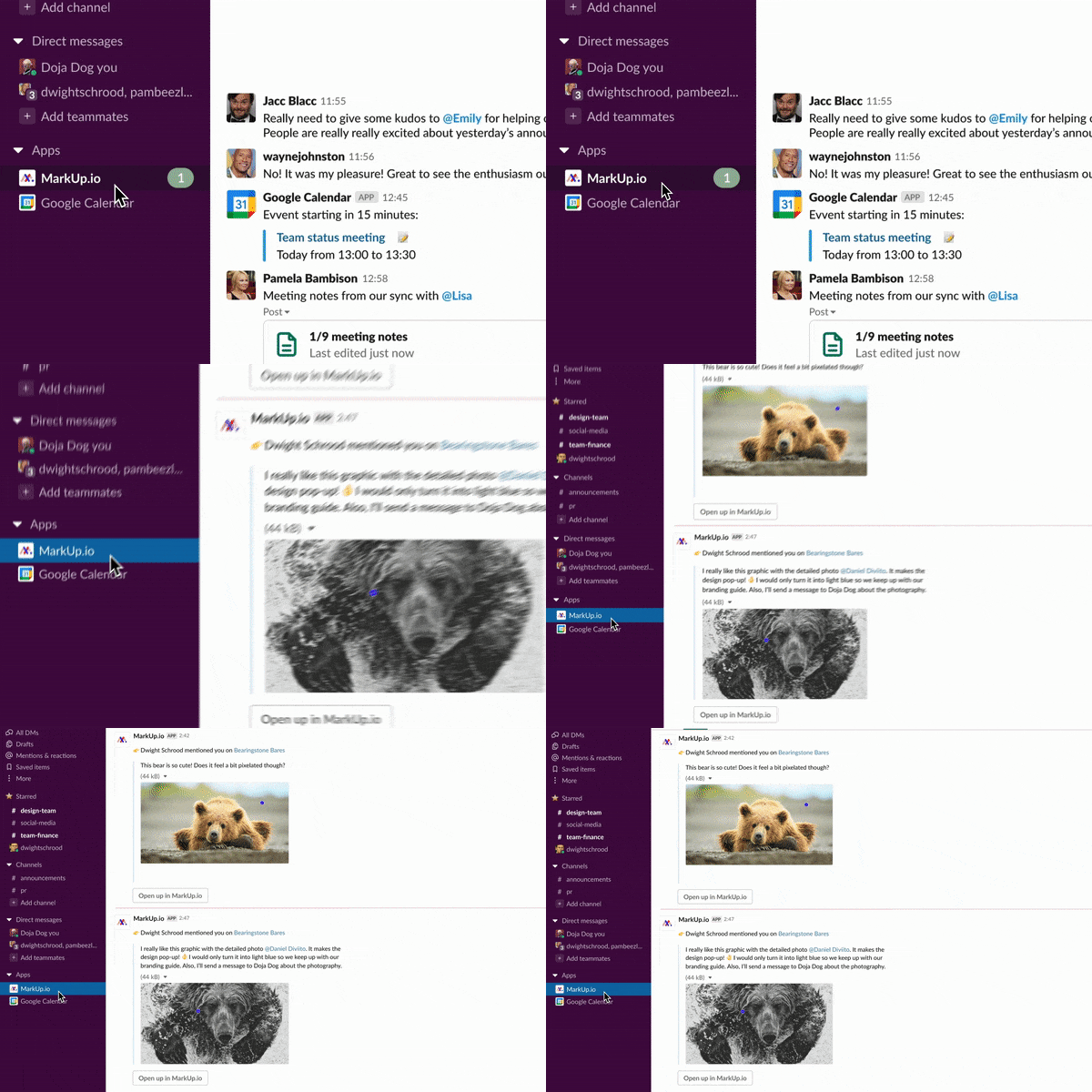
No more switching tabs or applications—just check what’s demanding your attention. And with a single click, you’re transported directly to the MarkUp comment in question.
GIF Source: Tenor
Plus, these notifications don’t just hide in your DMs like a bashful hermit crab in a seashell. They can be shared across both public and private Slack channels, fostering a culture of transparency and accountability among your reviewers.
Even from those who are normally feedback-shy. 🙈
And the cherry on top? With the ability to check and respond to MarkUp updates on the fly, you can ensure that everyone stays on track, no matter where they are.
See, this isn’t solely about receiving notifications; it’s about taking action. With this integration, you’re not just keeping up with updates but staying one step ahead!
Let’s get this (Slack) party started!
Ready to cut the Slack? No pun intended. 😜
Well, here comes the fun bit – setting it up! And luckily, that’s super easy and quick to do.
Let’s take a look.
If you want to ensure you’re the perfect advocate for using the Slack integration, we got you!
Simply check out this support article or use our Loom integration to create a handy guide for your reviewers. Just record yourself explaining the setup process, and they’ll join you in the Slack integration party in no time!
Get your reviewers in on the action
Sometimes, the toughest part of the battle is getting your stakeholders to participate more in the feedback process.
But thanks to the Slack integration, getting them involved is a piece of cake. 👌
Here’s why:
Collecting comments from everyone in your chosen Slack channel doesn’t involve a complicated sign-up process. All your reviewers have to do is click the MarkUp link and comment as a Guest.
Broadcasting regular updates opens up the opportunity for engagement from those who might’ve missed the original MarkUp link. Or who don’t know what MarkUp.io is – yet!
Pinning a MarkUp to a Slack channel opens the door for anyone to drop in and add their comments. Then when you’re ready to implement edits, you can unpin or switch off share mode to avoid last-minute feedback from Guests.
Seeing a flurry of updates in a Slack channel can be just the FOMO nudge that your stakeholders need to join in the conversation. This’ll also make them eager to use MarkUp.io more regularly.
Want to get your reviewers even more excited about MarkUp.io? Take a peek at this blog post.
GIF Source: Giphy
Ready, set, Slack!
Now it’s over to you, my friends.
We can’t wait for you to try the Slack integration and see how you use it to enhance your collaboration and day-to-day workflows. 🔥
But why wait? If you’re ready to leap into a more streamlined way of managing feedback, head over to the integrations tab in your Workspace.
Happy Slacking!