MarkUp vs. Pastel: Which gets your team to “approved” faster?
Pastel is a polished, well-built tool. But at scale, the numbers stop working in its favor. MarkUp’s flat pricing overtakes it fast, and the gap only grows from there.
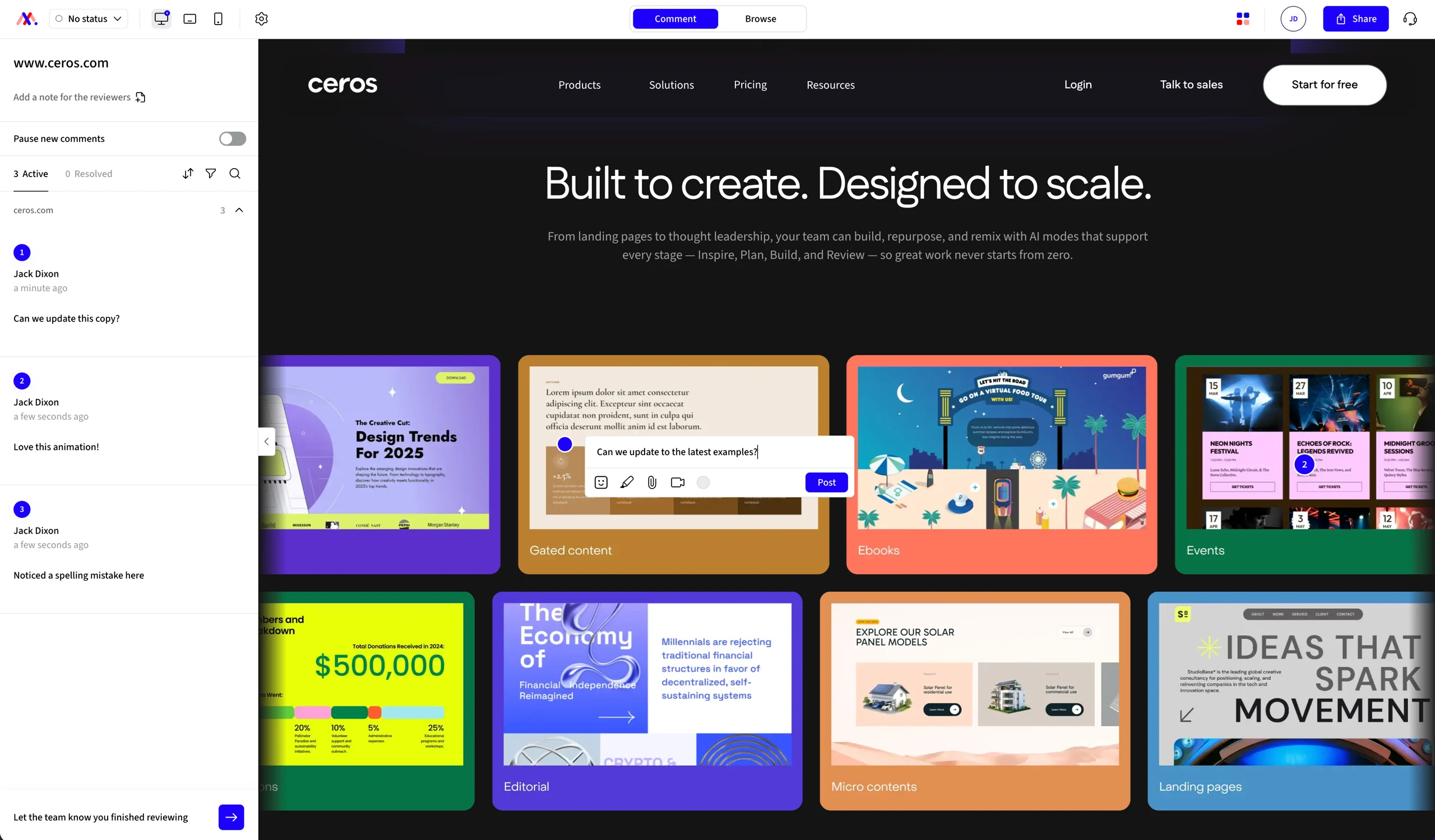
01 · Why MarkUp
Three places the gap shows up first
$79
One flat price, no matter your headcount
Pastel’s cheapest plan, Pro, runs $35/month but caps out at 2 users. Workable for a freelancer-client pair, tight the moment a third person joins. Their next tier, Team, starts at $119/month for five people and adds $24 per head after that. We’re comparing against Team here, since it’s the closer match to MarkUp’s unlimited-user model. MarkUp’s $79/month covers your entire team instead. Unlimited members and guests, on every plan.
30+
Built for every file type
MarkUp supports 30-plus file types: native PDF text commenting, frame-by-frame video, office docs and presentations, and Loom recordings pinned right where they matter. Pastel supports websites, PDFs, images, video, and email, without screen-recorded feedback.
Day 1
Integrations included from day one
Pastel’s integrations (Trello, Jira, Asana, ClickUp, Monday) are export-only and locked behind its $119/month Team plan. MarkUp includes Slack, Microsoft Teams, Zapier, a Chrome extension, and a full API/SDK, standard on the $79 plan.
02 · Feature comparison
How we stack up
A category-by-category look at how MarkUp and Pastel stack up.
Capability
MarkUp
Pastel
Ease of use & performance
MarkUp
Instant canvas load. Video conversion processed in about 30 seconds with a crisp initial render.
Pastel
Canvases render pixelated for 2–3 seconds before settling in. Video conversion takes 10–11 minutes to process.
Format support
MarkUp
30+ content types: websites, PDFs, images, video, office documents and presentations.
Pastel
Websites, PDFs, images, video, and email.
Review workflow
MarkUp
Reviewers leave feedback with labels and tags. Record a Loom clip right on the pin instead of typing it out. Teams can pause commenting to catch up before more comes in.
Private, internal-only comments and deadline management with auto-reminders aren’t available yet.
Pastel
Reviewers leave feedback with labels and tags. Private, internal-only comments and deadline management with auto-reminders help teams manage the pace, genuine strengths today. No Loom-style recording on a pin.
Integrations & extensibility
MarkUp
Notification integrations (Slack, Teams, Zapier) push updates one-way, from MarkUp out. The API supports two-way access, reading and updating review state, and the SDK embeds MarkUp’s UI directly into your own app.
Pastel
CSV export only below $119/month. Trello, Jira, Asana, ClickUp, Monday, and webhook access unlock at Team and up. Export-only, one direction.
Viewports
MarkUp
Fixed desktop, tablet and mobile viewport switching, built into every website MarkUp.
Pastel
Fully custom breakpoints, plus device-specific presets (iPhone 5–17 Pro Max, Galaxy S22/S25, iPad 10″/11″/Pro). A genuine strength on Pastel’s side.
Enterprise readiness
MarkUp
Google and Microsoft SSO on every plan, SAML at Enterprise. SOC 2 documentation at Enterprise, custom quote.
Pastel
Google SSO only below Enterprise. SAML SSO and SOC 2 available at Enterprise ($5,400/year published, 10-seat minimum).
03 · Why switch
Why switch from Pastel to MarkUp?
Seat math
Pastel’s Team plan starts at five seats for $119/month, then adds $24 a head after that.
10 people: $119 + (5 × $24) = $239/month
20 people: $479/month
MarkUp, same 20 people: $79/month flat
At 1–2 people, Pastel’s $35/month Pro plan actually undercuts MarkUp’s $79 flat rate, a genuine point in Pastel’s favor for very small teams. But Pro caps at 2 users, so a team of exactly 3 already needs the $119/month Team plan. That means MarkUp becomes the cheaper option at 3 people, and the gap keeps widening from there.
Format depth
We opened Pastel’s tool and tested it directly on Sept. 14, 2026, rather than relying on marketing copy alone. One finding worth flagging: Pastel’s integrations exist, but they’re export-only and sit behind a “More Actions” menu most people won’t find on their own.
Worth knowing
New Pastel canvases default to public visibility unless you dig into settings and lock them down.
Monthly cost at 20 people
Pastel Team, 20 seats
MarkUp, any headcount
At 10 people Pastel is $239/month. MarkUp is $79 either way.
04 · Customer proof
What review teams tell us
“Even clients who are less tech savvy have easily adopted to MarkUp!”
Kyle Hudson
Concept Theory
“We implemented MarkUp right away and our clients love it. It’s like Google Docs for websites.”
Jason Gordon
Strong Social
“This is by far the simplest, most frictionless, easiest-to-get-going platform that I’ve ever worked in.”
Leah Friedman
Guru
05 · FAQ
Commonly asked questions about MarkUp vs. Pastel
The bottom line
MarkUp gets you to “approved” faster. Without the per-person bill.
If you’re a solo freelancer or a small team, or if deadline enforcement and private internal-only comments are non-negotiable for you, Pastel is a solid pick today. But if your team is bigger than three people, works in more than websites and screenshots, or you’re just tired of doing seat math every time someone new joins the review, switch.