Webvizio alternative: MarkUp is built for reviewers, not just developers
Webvizio’s built for AI-coding-agent workflows and dev-backlog metrics. MarkUp’s built for creative and marketing teams running review cycles with clients and stakeholders. A different job, for a different buyer.
01 · Why MarkUp
Where MarkUp and Webvizio part ways
Two different jobs, not two versions of the same tool
Webvizio’s newer pitch centers on generating prompts for AI coding tools like Cursor and Windsurf, with a stated focus on dev-backlog reduction and QA hours saved. MarkUp is built for pinned, in-context feedback on websites, images, PDFs, and video: the review cycle a creative or marketing team runs with clients and internal stakeholders, not a bug-triage pipeline.
No time limit on video review
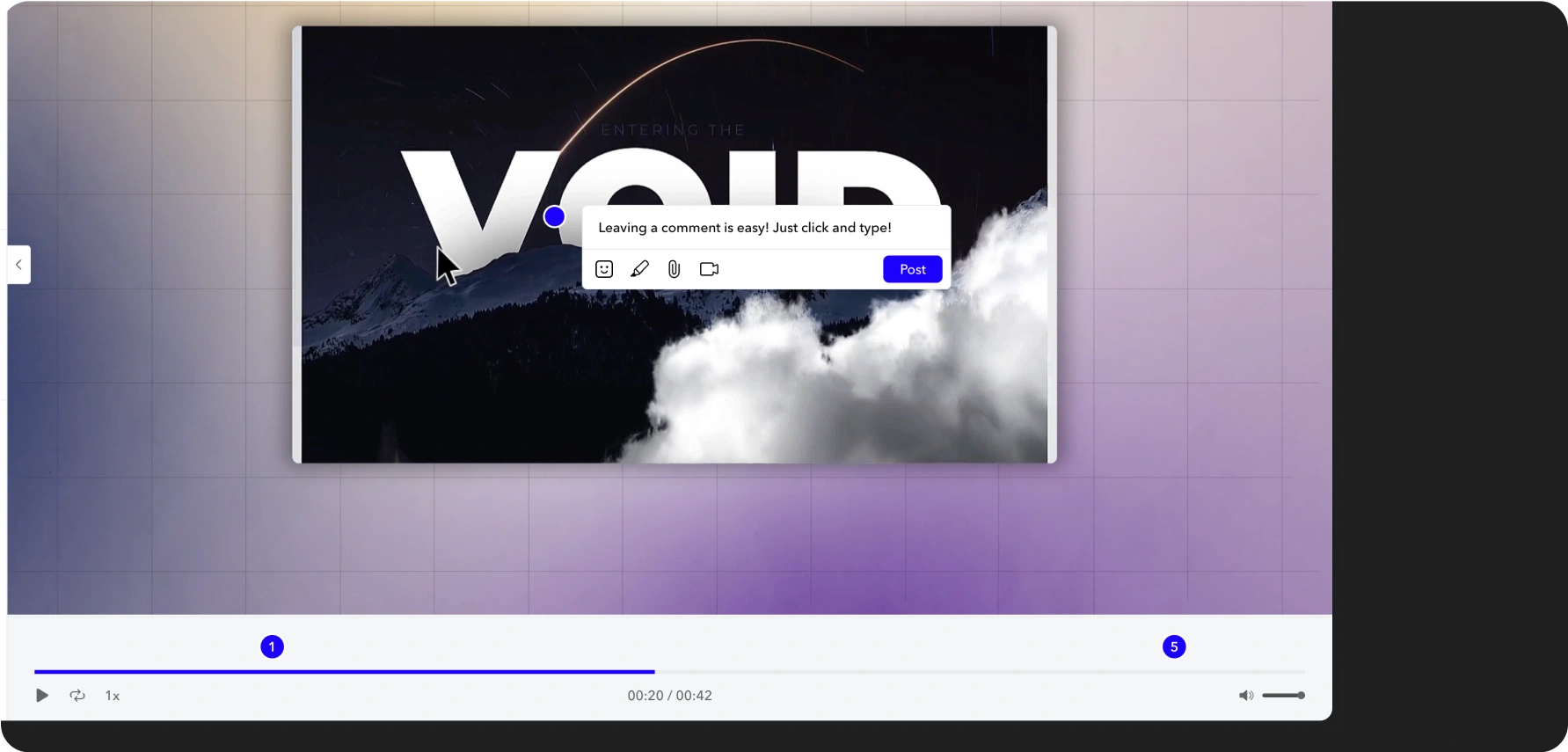
MarkUp supports native, frame-accurate video review, including frame-by-frame stepping, across 11+ video file types, with no stated time limit. Every plan includes it. Reviewers can also record and embed a Loom video directly as feedback on a pin; any recording-length limit there comes from the reviewer’s own Loom plan, not from MarkUp.
Unlimited members and guests, on every plan
No cap on internal team members or external guests, and no account required for a guest to leave feedback. Webvizio’s guest access is also free and unlimited on its Starter tier and above, but internal members are billed per seat above the included count on every one of its paid tiers.
02 · Feature comparison
How we stack up
A capability-by-capability look at how MarkUp and Webvizio compare.
Capability
MarkUp
Webvizio
Supported content
MarkUp
Websites, images, PDFs, and video (11+ formats), with frame-by-frame video review.
Webvizio
Live websites and web apps, images, PDFs, Figma files, and video.
Video review
MarkUp
Native, with no stated time limit.
Webvizio
Native, with no stated time limit.
Internal team members
MarkUp
Unlimited, on every plan.
Webvizio
2 (Solo, $8/mo), 5 (Starter, $28/mo), 20 (Advanced, promotional pricing at time of writing), custom (Enterprise). Extra members are billed per seat above the included count on every paid tier.
External guest and reviewer access
MarkUp
Unlimited, free, no account required, on every plan.
Webvizio
Unlimited, free, no account required, but only on Starter tier and above. Not available on Solo.
User roles
MarkUp
Owner, Admin, Member, Guest, with link-access controls on Pro and Enterprise.
Webvizio
Owner, Project Manager, Assignee, Client.
Getting content into review
MarkUp
Paste a URL, or upload a file.
Webvizio
Chrome extension for authenticated and staging environments, or a link-based web app for public URLs.
PM and dev-tool integrations
MarkUp
No native Jira, Trello, or ClickUp integration. MarkUp has a native Zapier integration with pre-built templates already available for Asana, ClickUp, and Linear, plus a public API and webhooks for anything else.
Webvizio
Jira, Trello, ClickUp, Slack, Zapier, WordPress, Figma, plus AI coding agents (Cursor, Windsurf) via MCP.
Task statuses
MarkUp
Five statuses at the MarkUp level: No Status, Open for review, Editing content, On hold, Completed.
Webvizio
Three task statuses: in progress, done, closed.
Task priority
MarkUp
High, Medium and Low pin priority, filterable and sortable, on every plan.
Webvizio
Task priority and deadlines.
Folders
MarkUp
Nested folders up to 5 levels deep, on every plan.
Webvizio
Shareable folders, on every plan.
Account branding
MarkUp
Custom branding and vanity domain, Business tier and above.
Webvizio
Account customization with company branding, on every plan.
Automatic technical capture
MarkUp
Browser, OS, and screen size captured automatically on every comment.
Webvizio
URL, screenshot, browser and OS, screen resolution, console logs, and reproduction steps.
Free trial
MarkUp
14 days, credit card required.
Webvizio
7 days (Advanced plan), no credit card required.
Free plan
MarkUp
None.
Webvizio
None.
Starting price
MarkUp
$79/mo, unlimited users, 1 workspace.
Webvizio
$8/mo, 2 users, 5 projects (promotional pricing varies).
03 · Why switch
Why switch from Webvizio to MarkUp?
No MarkUp-imposed limit on video length
MarkUp supports native video review, reviewing an existing video file, with no stated time limit, across 11+ formats, on every plan.
Native video review, no stated time limit
11+ file types, with frame-by-frame stepping
Included on every plan, not an upgrade
Reviewers can also record and embed a Loom video directly as feedback on a pin. Any recording-length limit there comes from the reviewer’s own Loom plan (Loom’s free Starter plan caps individual recordings at 5 minutes), not from MarkUp.
Distinct roles and independent viewport review
MarkUp supports four distinct roles, Owner, Admin, Member, and Guest, with link-access controls on Pro and Enterprise.
Worth knowing
Reviewers can preview and comment against desktop, tablet, and mobile renderings of a website MarkUp independently, rather than a single generic view.
Where the seat math lands
Webvizio Starter, 5 members
MarkUp, unlimited members
Webvizio bills extra internal members per seat above the included count on every paid tier. MarkUp’s $79 covers the whole team.
04 · Customer proof
What review teams tell us
“Even clients who are less tech savvy have easily adopted to MarkUp!”
Kyle Hudson
Concept Theory
“We implemented MarkUp right away and our clients love it. It’s like Google Docs for websites.”
Jason Gordon
Strong Social
“This is by far the simplest, most frictionless, easiest-to-get-going platform that I’ve ever worked in.”
Leah Friedman
Guru
05 · FAQ
Commonly asked questions about MarkUp vs. Webvizio
The bottom line
MarkUp fits the review cycle. Webvizio fits the dev pipeline.
If your team is already living in an AI-coding-agent workflow and needs feedback routed straight into Jira, Trello, or ClickUp, Webvizio’s built for that. If your team’s review cycles center on creative and marketing content, with clients and stakeholders who shouldn’t need an account to leave feedback, MarkUp’s format range and unlimited-seat pricing hold up better the larger the team gets.